Egress filtering
Egress filtering restricts the outbound network access of a workload to a list of allowed domains. This is useful when a runner or Devbox should only reach the source hosts, package registries, model APIs, or other services that a task actually needs. Everything else is guaranteed to be blocked.
GitHub Actions runner profiles
Egress filtering for GitHub Actions runners is configured on a runner profile.
Open the profile in the web UI, enable it in the network policy,
and list the allowed domains. Prefix a domain with *. to include its subdomains.
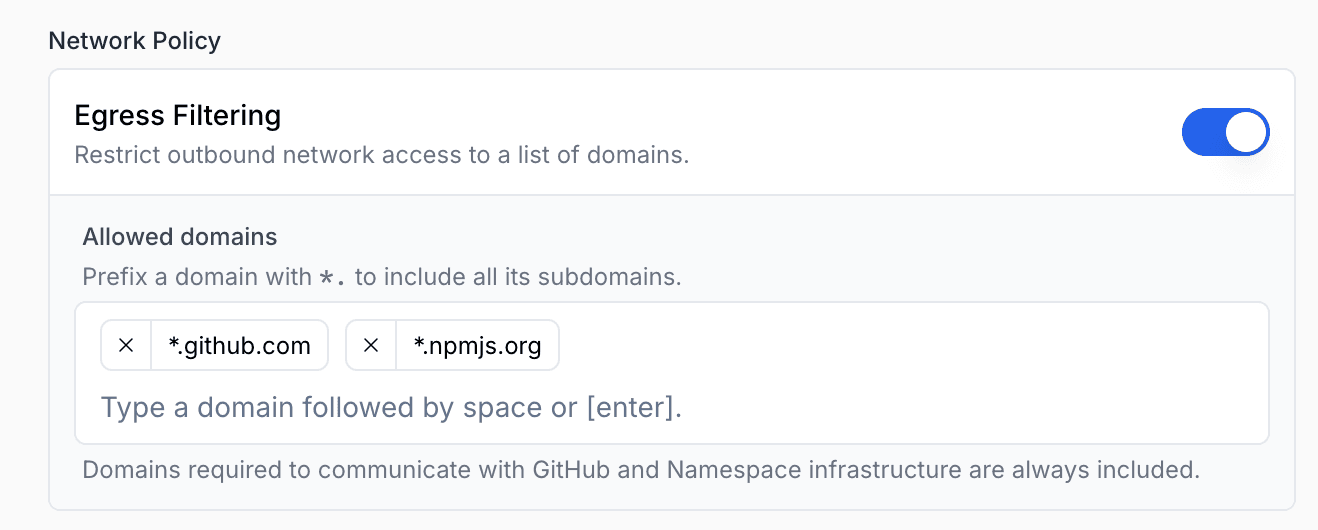
You can also configure it from the CLI:
nsc github profile create \
  --tag "secure-runners" \
  --egress_policy DOMAIN_ALLOW_LIST \
  --egress_domain_allow_list "*.github.com,*.npmjs.org"
Devboxes
Devboxes use the same allow-list model, configured through the Devbox
spec file.
Set network_policy.egress_domains
to restrict outbound access:
network_policy:
  egress_domains:
    - "github.com"
    - "*.githubusercontent.com"
    - "registry.npmjs.org"
Viewing egress traffic
Once a policy is active, Namespace records every outbound request and surfaces it in the Egress Filtering dashboard. Requests are grouped by base domain and split into Allowed and Denied, so you can confirm that the destinations a task needs are reachable and spot anything that was blocked.
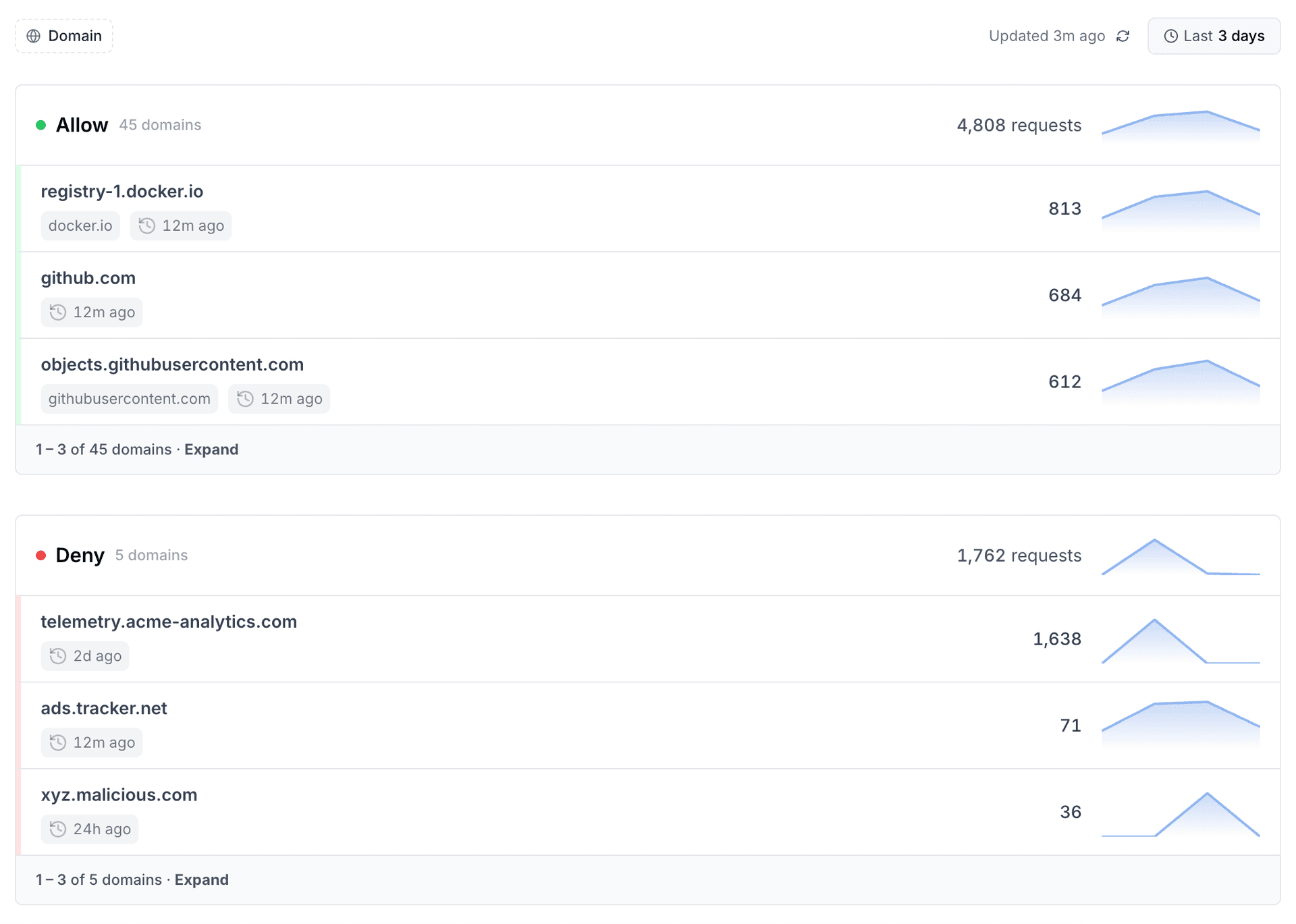
The dashboard above aggregates traffic across the whole workspace. To inspect a single workload, open any instance and switch to its Egress tab for the same allowed/denied breakdown scoped to that instance.