

Performance Metrics
The dedicated job view allows correlating job steps with performance metrics and comparing a job’s performance to previous runs. This visibility helps you identify performance bottlenecks and track improvements over time.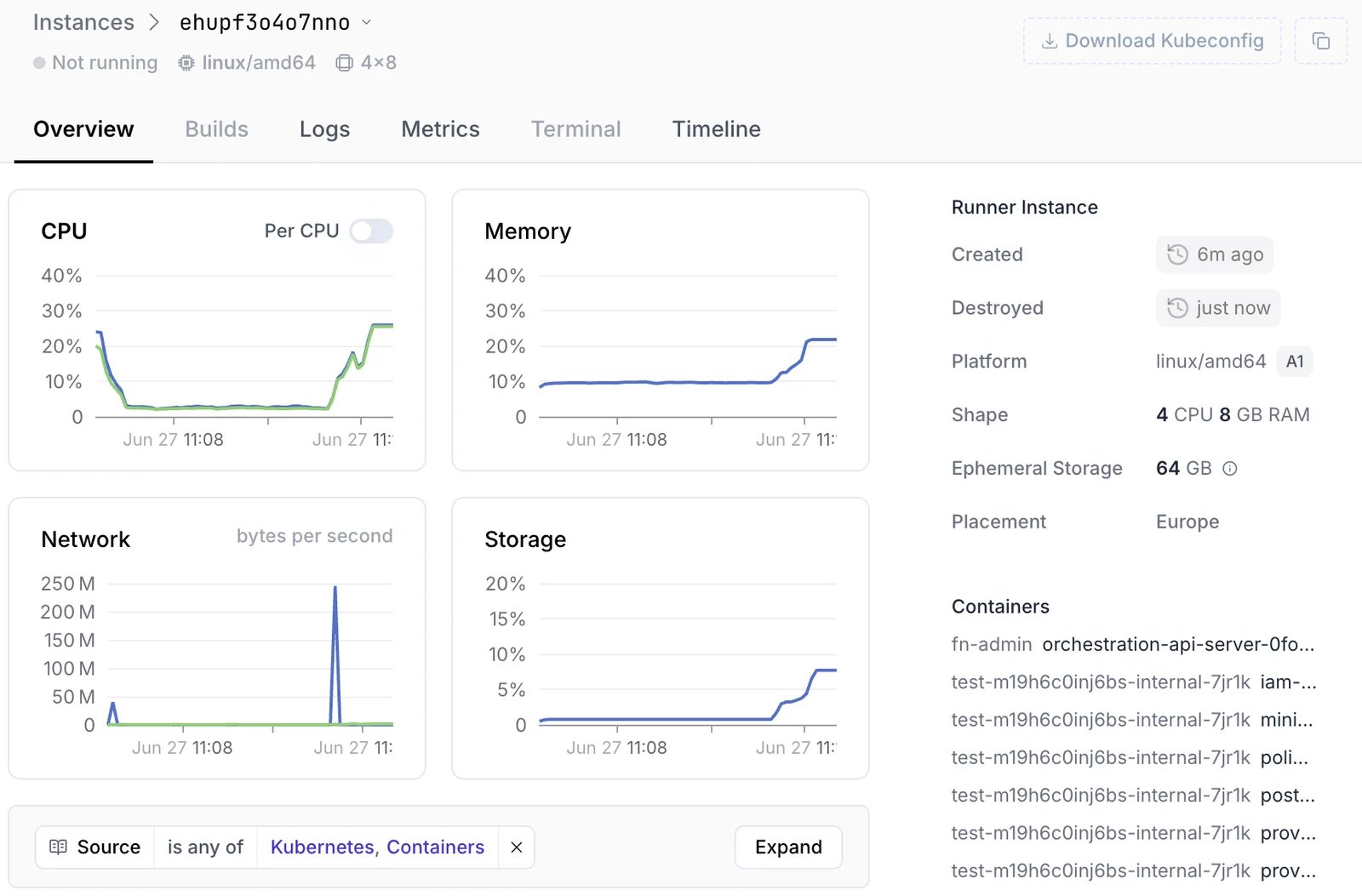
- CPU Usage: Track processor utilization across all cores, identify CPU-intensive operations
- Memory Consumption: Detect memory leaks and excessive allocation
- Disk I/O: Understand disk read/write patterns, identify storage bottlenecks
- Network Activity: Track network usage, bandwidth consumption, and connection patterns
Advanced Logging Capabilities
Access comprehensive logging, providing visibility into every aspect of your workflow execution. Namespace log collection and serving goes beyond stdout/stderr and provides meaningful insights. Container Logs Namespace provides direct access to logs from running containers within your workflows.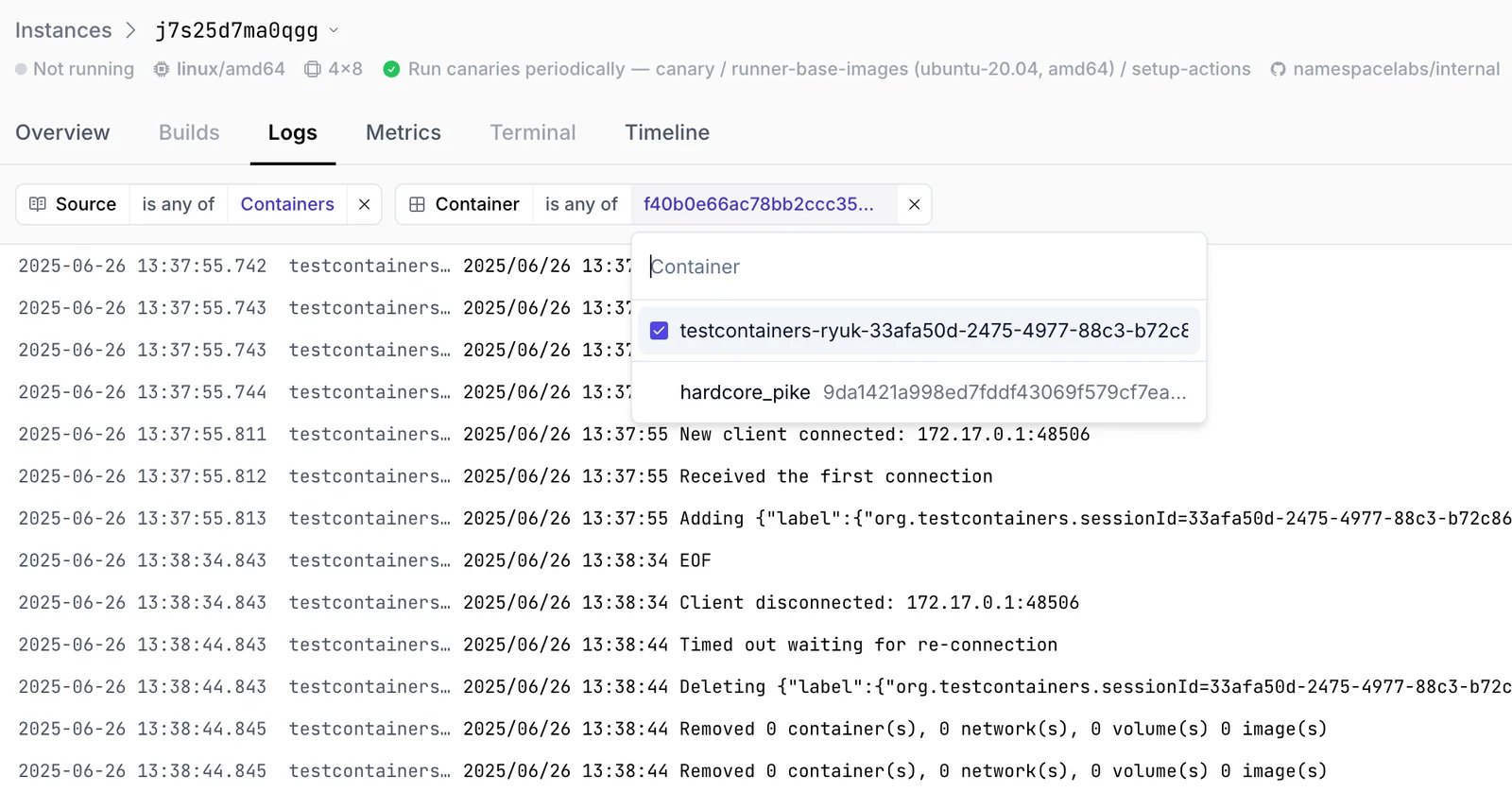
Out of Memory (OOM) Detection
Memory consumption graphs can already give insights on memory leaks and excessive allocation patterns. However, when only working with memory allocation metrics it is hard to isolate if a task was running close to a memory limit, or encountered an error when running out of memory. Namespace’s automatic OOM detection makes these conditions explicit and simple to detect.Crash Dump Collection
Namespace can automatically detect if your task execution crashes, collect crash dumps, and store them as artifacts. These dumps contain invaluable forensic information useful for determining the cause of the crash. Crash dump collection is not enabled by default - reach out to support@namespace.so to get access.Hands-on Support
Got stuck? Need help with debugging one of your workflows? Our team is here to assist:- Technical Support: Reach out to support@namespace.so to talk to one of our engineers.
- Community: Join our community Discord to learn about tips and best practices.
API Reference
Metrics and logs can be queried programmatically via the Namespace API.Instance Metrics
The ComputeServiceGetInstanceMetrics
RPC returns time-series resource usage data for a specified instance. You can query metrics from both
running and terminated instances, and optionally filter by time range.
Available metric resources:
Logs
The ObservabilityService provides two RPCs for accessing instance logs:StreamInstanceLogs: Stream logs in real-time from a running instance. Setfollow: trueto wait for additional log output. The stream terminates when the instance shuts down.FetchInstanceLogs: Query historical logs with pagination and time range filtering. Supports matching by instance ID pattern for querying logs across multiple instances.
containers, kubernetes, kmsg), stream (stdout, stderr),
timestamp, and associated labels.