

From Namespace instances
No configuration changes required When running your CI on Namespace, access to nscr.io is already configured. Each Namespace workload embeds short-lived credentials that grant direct access to the container registry.Local Docker integration
Using the CLI, you can also configure your local Docker to access nscr.io.Configure your Docker
nscr.io/8enum0hp1l5ii).
If you want to obtain the address without updating your Docker configuration, run nsc workspace describe.Observability
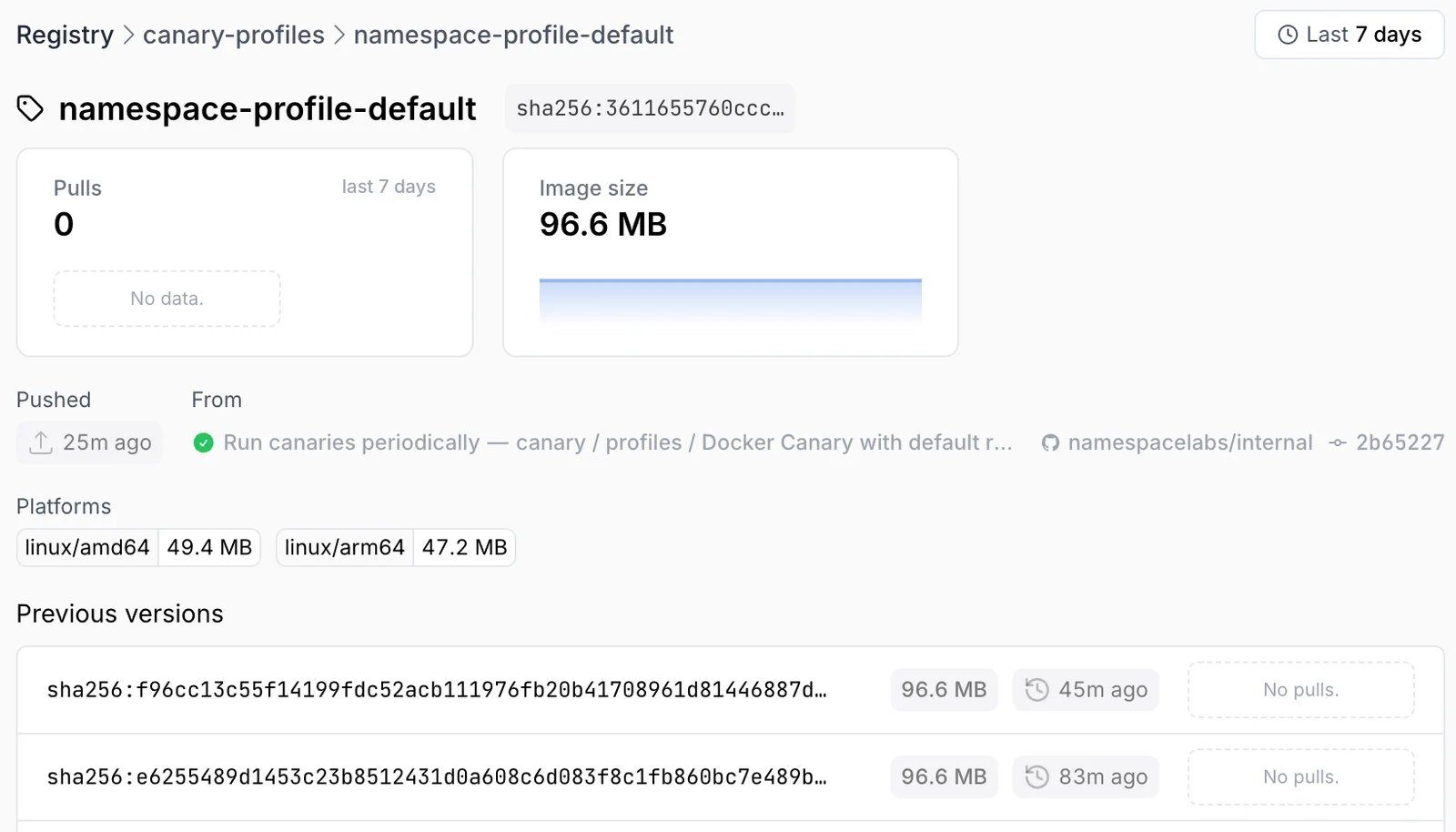
Our Dashboard provides a holistic overview over the images that you have pushed to nscr.io. You can understand access patterns per tag, and the evolution of image sizes over time.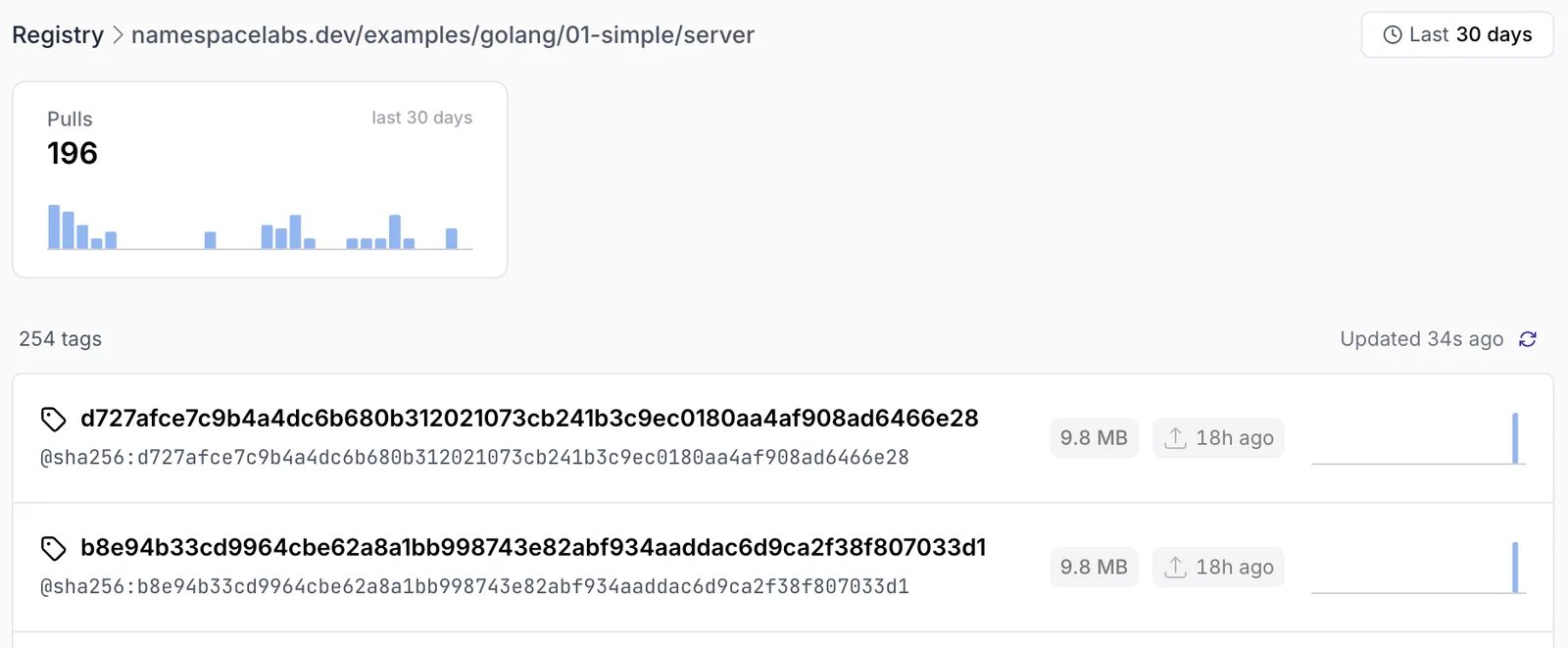
Build and Push in One Command
When doing quick image iterations, our CLI offers a simple command to build and push an image without reconfiguring your local Docker client.Access Controls
Images pushed to nscr.io are shared with your workspace by default, allowing for frictionless collaboration. More information on Workspace accessPublic Access
In order to share an image publicly, the following command can be used:public.nscr.io/<id>:latest. Alternatively, one can provide a custom suffix:
public.nscr.io/<id>/test:latest.
Expiration
By default, images pushed to the Namespace container registry do not expire and are kept indefinitely.Single image expiration
Single images can be set to expire at a certain point in time. Once the image expires, it will no longer be served and does not consume any storage.nscr.io/8enum0hp1l5ii/nginx@sha256:b493d48364afe44d11c0165cf470a4164d1e2609911ef998be868d46ade3de4e on the 24th of December of 2024 the command would look like this:
ensure-minimum flag.