

Getting started
Enable caching on your runner profile
Go to your runner profile configuration and enable caching.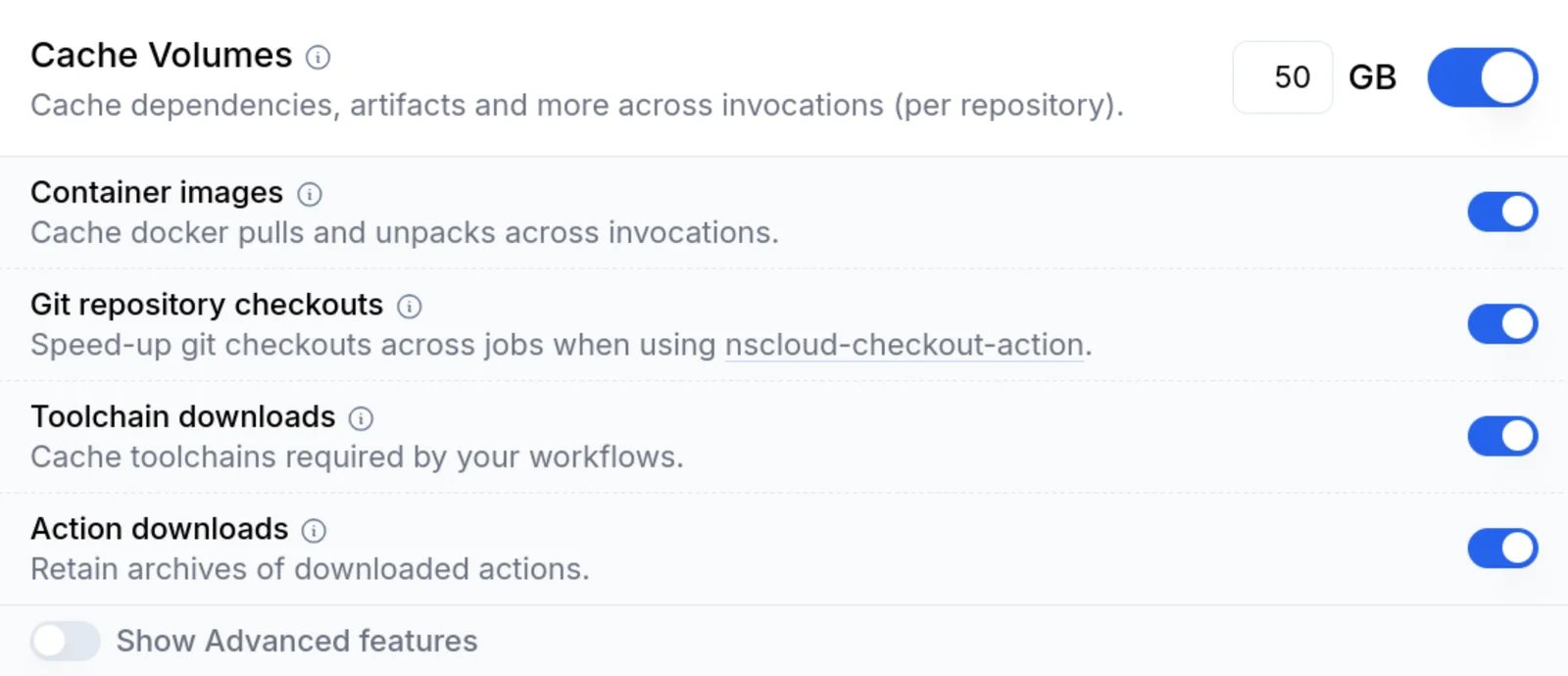
Add the cache action to your workflow
Use The
namespacelabs/nscloud-cache-action to
cache Playwright browsers and apt packages:playwright cache mode stores downloaded browsers, and apt caches system packages so that
playwright install --with-deps runs faster on subsequent runs.Cache npm dependencies
In addition to Playwright browsers, you can also cache your package manager’s dependencies:
- npm
- pnpm
- yarn
For npm, add the
npm cache mode:What gets cached
See the
nscloud-cache-action documentation for
all available cache modes and configuration options.
Next steps
Increase the number of workers
Playwright’s default configuration uses only 1 worker when it detects a CI environment. To make better use of the available cores, you can increase this for faster test execution. A good starting point is 75% of the available cores—adjust this depending on your workload:Upload test reports
Usenamespace-actions/upload-artifact to
upload Playwright’s HTML report for easy debugging:
if: ${{ !cancelled() }} condition ensures the report is uploaded even when tests fail.
Full example
Here’s a complete workflow using Namespace runners with caching:Advanced: pre-install browsers and system dependencies
For the fastest and most consistent job startup, pre-install Playwright’s browsers and system dependencies directly into your runner profile with a custom base image. This removes the browser download andapt-get install from every job, so workflows start running tests immediately:
package.json; if the versions diverge, Playwright will
re-download the matching browser at runtime. With this in place, your workflow can drop
--with-deps and run plain npx playwright install (or skip the install step entirely if the
versions match).