Claude Managed Agents

Claude Managed Agents are natively supported on Namespace Devboxes. Each Claude Agent session is backed by its own ephemeral Namespace Devbox. When you start a new session, Namespace provisions a fresh Devbox for it.

What are Devboxes?

Devboxes are high-performance environments which are best-in-class for code related workflows, like builds and tests. Our Docker based environments provide you and your agents with the same toolchains that you'd use in CI (Docker, Bazel, Gradle, etc.). You also get lifecycle management that helps keep costs under control without sacrificing performance.

How it works

Anthropic
Agent loopModel, planning & tool calls
tool_use
Namespace
Namespace control planeRoutes work to a fresh devbox
DevboxIsolated VM, per session

Anthropic handles orchestration: the model, the agent loop, context management, and error recovery. Namespace handles execution: shell commands, file operations, tool calls, builds, test runs, etc.

Prep

Before you start you will need the following pieces:

Devbox CLI

If you are new to Devboxes, you can get started by installing the Devbox CLI.

Install the Devbox CLI

Install the Devbox CLI to create and manage devboxes:

$
curl -fsSL get.namespace.so/devbox/install.sh | bash

Authenticate with Namespace

Authenticate with Namespace using the Devbox CLI:

$
devbox login

This opens your browser to complete authentication. Once logged in, you're ready to create and manage devboxes.

Setup Managed Claude Agent with Devbox

Start the setup process

Run the following command to start the setup process, and provide your Anthropic API key when prompted:

$
devbox claude managed-agents setup-environment
Provide Anthropic API Key

Generate Service Key

The Devbox CLI will automatically create a new environment in the Anthropic console for you. Now you need to generate a new service key for the environment.

New Claude Managed Agent Environment

Open the link provided by the CLI (which will take you to the newly created environment), to generate a new service key for the environment, and paste the key back into the CLI.

Configure Webhook

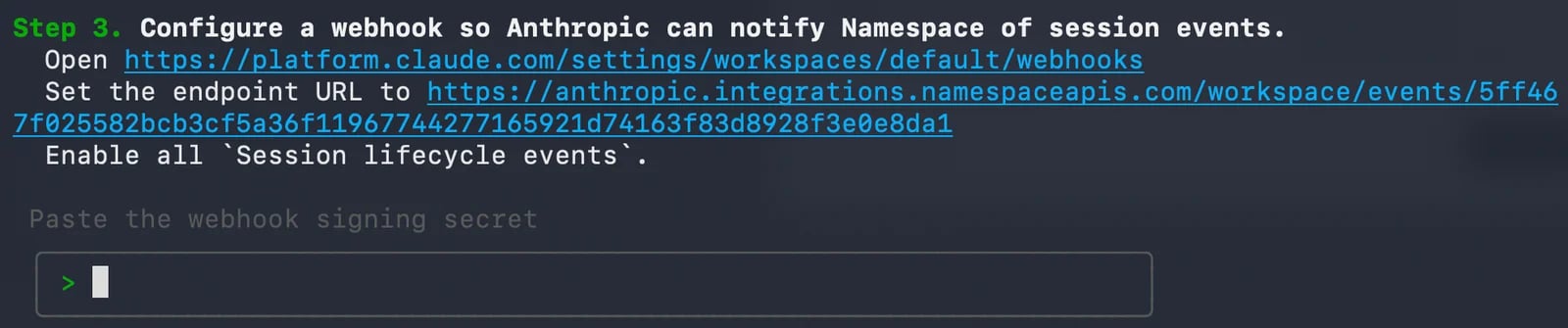
Next, you need to configure a webhook in the Anthropic console, to allow Anthropic to send events to Namespace with instructions for the agent to execute.
Configure Webhook

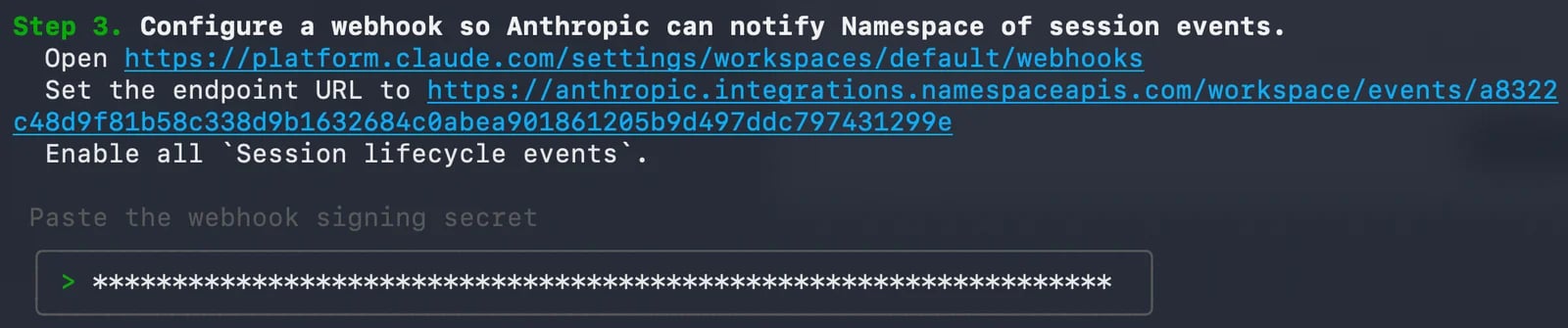
To help you with this step, the CLI provides you with workspace webhooks URL and namespace webhook URL.

Head over to workspace webhooks URL and start the process to create a webhook:

  • use the namespace webhook URL as the endpoint URL for the webhook.
  • make sure to enable all Session lifecycle events
  • and copy the generated webhook secret.

Then copy the webhook secret back into the CLI to complete the setup.

Copy Webhook Secret

Running the agent

Now, that you have a working Managed Agent setup with Namespace Devbox, you just need to create a Claude agent, and start using it to complete your tasks.

Create a Claude Agent

Create a new agent in the Antropic console.

Here is an example configuration for a Claude agent that can connect to Namespace Devbox Agent Runner:

{
  "name": "Namespace Devbox Agent",
  "description": "Managed agent running on a Namespace Devbox, with access to tools and resources on the Devbox.",
  "model": "claude-sonnet-4-6",
  "system": "You are a coding agent that can research, write code, run commands, and use connected tools to complete the user's task end to end.",
  "mcp_servers": [],
  "tools": [
    {
      "type": "agent_toolset_20260401"
    }
  ],
  "skills": []
}

Create a Session

Each Claude Agent session is backed by its own ephemeral Namespace Devbox. When you start a new session, Namespace provisions a fresh Devbox for it.

To test the integration, start a new session with your agent.

Head to your workspaces sessions, and create New session.
Make sure to select the Agent and Environment you set up in the previous steps.

Then give your agent an instruction like "What OS are you running on?", and hit send.

What's Next

Congratulations! You've successfully set up Claude Managed Agents with Devboxes. Your agents now have access to high-performance, ephemeral execution environments backed by Namespace infrastructure.

From here, you can start putting your agents to work on real tasks: cloning repositories, running test suites, debugging failing builds, or any other code-related workflows. Each new session spins up a fresh Devbox automatically, so your agents always start from a clean state.

If you run into any issues or have questions along the way, don't hesitate to reach out to the Namespace team. You can contact us at support@namespace.so. We're happy to help you get the most out of your setup.

Last updated