Protecting Your Workloads with Egress Filtering

As coding agents get better and better at doing work for us, they also get better at doing work for malicious actors. Just a few months ago, an attacker hijacked an Axios maintainer's npm account and published two compromised versions of the library. They added a hidden dependency that ran on install and would download and execute platform-specific second-stage payloads from a malicious URL.
This attack made us realize we needed to provide more control and visibility around egress to our customers. We already had egress filtering at the instance level, but our customers need to be able to configure and observe it directly in the GitHub Runners and Devboxes. Egress filtering gives you a way to make sure that even when something gets through, it has nowhere to go: the Axios attack, like a lot of supply chain attacks, only worked because the compromised code could call out.
What egress filtering does
Egress filtering restricts a workload's outbound network access to a list of allowed domains. A CI runner or Devbox usually needs only its source host, a package registry or two, and whatever APIs the job calls, so in the majority of cases the allow-list is short and stable.
With it in place, a compromised dependency can still execute, but it has nowhere to send what it collects: the beacon fails, the callback fails, the exfiltration attempt fails. This is why network allowlisting has been commonly viewed as a popular mitigation for incidents like these.
Namespace gives you egress filtering for both GitHub Actions runners and Devboxes, along with a dashboard that shows what outbound requests your workloads are making.
Setting it up
Egress filtering is available on Linux for both GitHub Actions Runners and Devboxes, using the same allow-list model.
Github Actions
For GitHub Actions runners, configure it on a runner profile.
Open the profile in the web UI, enable it in the network policy,
and list the allowed domains. Prefix a domain with *. to include its subdomains. The minimum set
required to talk to GitHub is included by default.
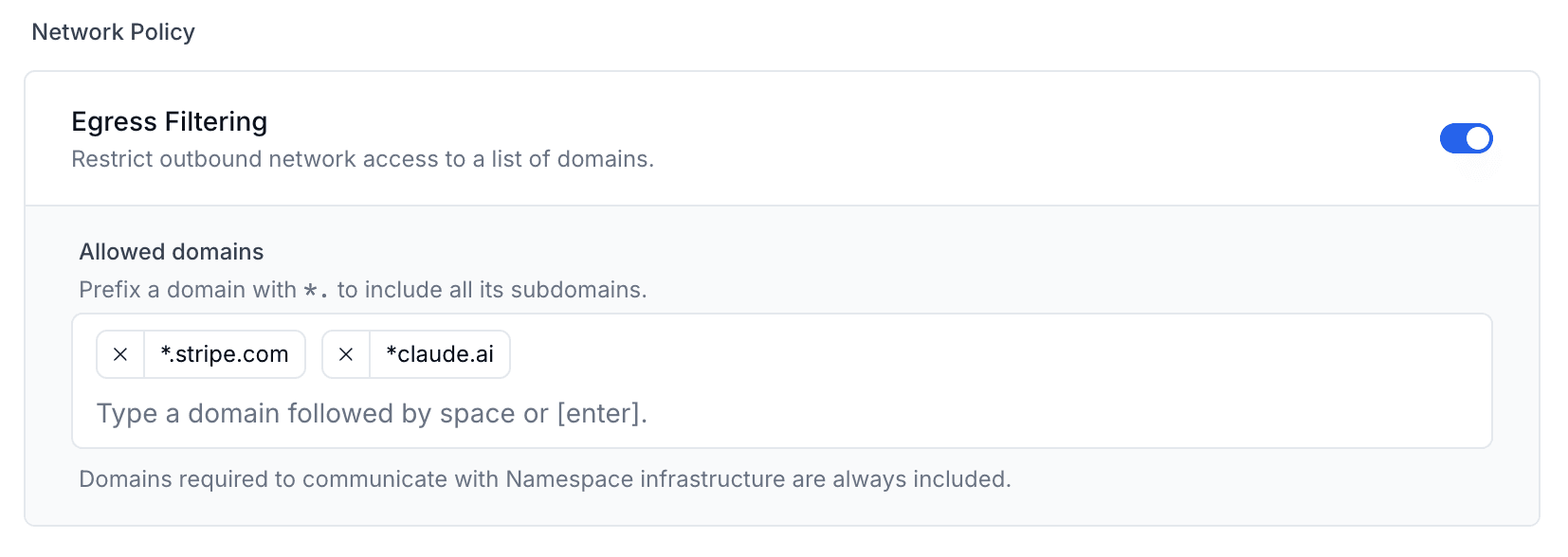
You can also configure it from the CLI:
nsc github profile create --tag "secure-runners" --egress_policy DOMAIN_ALLOW_LIST --egress_domain_allow_list "*.github.com,*.npmjs.org"Devboxes
Devboxes use the same model, configured through the Devbox spec file.
Set network_policy.egress_domains to restrict outbound access:
network_policy:
  egress_domains:
    - "github.com"
    - "*.githubusercontent.com"
    - "registry.npmjs.org"
Seeing what your workloads actually reach
Once you have created an egress policy, we surface every outbound request in the Egress Traffic Dashboard. Requests are grouped by base domain and split into Allowed and Denied. This allows you to confirm that the domains a task needs are reachable and spot anything that was blocked. Each instance also has its own Egress tab, useful when a specific build fails or you need to check what a suspicious job tried to reach.
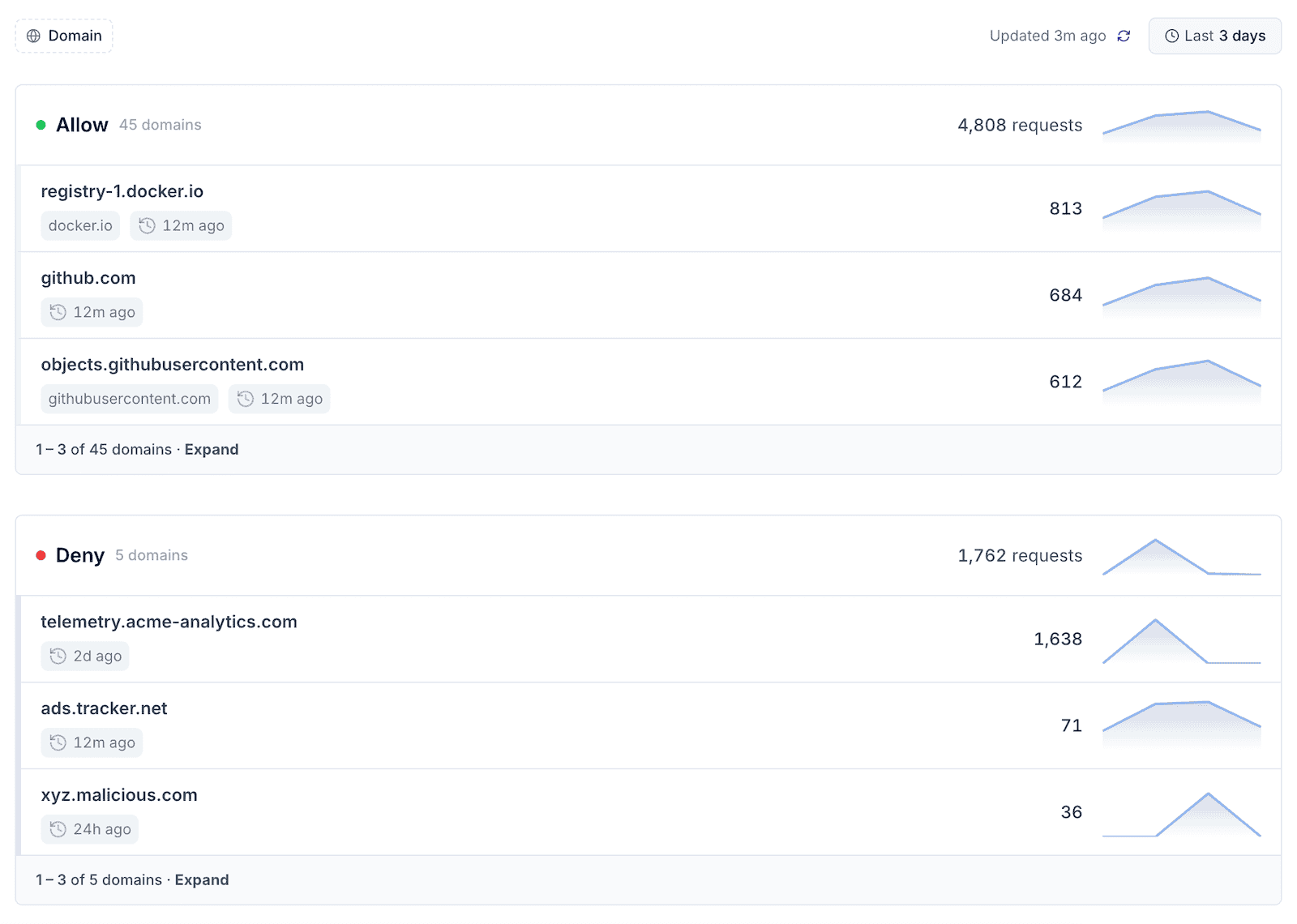
The dashboard is helpful during incident response. When a dependency is disclosed as compromised, a denied-domain record and per-instance egress history show you which jobs ran it and what they touched, instead of piecing it together from scattered logs.
Summary
Egress filtering blocks malicious outbound requests during the build itself. It works by restricting a workload's outbound network access to an allow-list of domains, so even if a compromised dependency runs, it has nowhere to send what it collects.
Namespace supports egress filtering across all products, including GitHub Actions runners, and Devboxes. The dashboard helps you understand what requests your workloads are making. Use observation mode to build the allow-list from real traffic, then switch to block mode once the list is stable, starting with your highest-value pipelines.
None of these controls cover everything on their own, which is why you want more than one. Egress filtering earns its place because it catches a different failure mode than the others: a compromised dependency, an install hook running code you didn't write, an agent tricked into reconnaissance. In each case, the attacker still needs to get data out. Egress filtering is what stops that call from going through.
Egress filtering is generally available now. See the egress filtering documentation to get started.