Filter
Control egress traffic
Inject secrets
Protect credentials
Proxy
Route through another domain
Create an egress policy
Define the policy’s tag, mode, rules, managed rulesets, and deep packet inspection setting in a JSON configuration file. For example, the following policy allows the traffic required by GitHub Actions, plus requests toexample.com. It also injects a Vault secret into the
Authorization header for requests to example.com:
egress-policy.json, then create the policy:
The
nsc egress policy commands described on this page require nsc v0.0.586 or later.nsc egress policy create
for configuration field descriptions.
Rules
Rules are evaluated in order and apply to matching domains.Filter traffic
ALLOW rules permit requests to matching domains. In BLOCK mode, the policy denies all requests
that are not allowed.
github-actions ruleset for GitHub Actions runners and the
devbox ruleset for Devboxes so the policy allows the traffic required for their functionality.
The optional macos ruleset permits routine connections from macOS to Apple services. macOS workloads
can operate without it, but recurring denied requests to these services can add noise to the egress logs and make other relevant entries more difficult to identify.
Inject secrets
INJECT rules set an HTTP header to a resolved value. The value is resolved outside the workload and
is never exposed to it. INJECT requires deep packet inspection.
Set from_secret_id to inject a value from Namespace Vault:
from_endpoint. Namespace sends a
GET request to the endpoint and injects the response body as the header value. Endpoint request
headers can use literal values or values from Namespace Vault.
RESOLUTION_POLICY_WHEN_STALE caches the resolved value according to the endpoint’s
Cache-Control: max-age response directive, with a minimum cache duration of 10 seconds. Namespace
retrieves a new value after the cached value becomes stale. If resolution_policy is omitted,
Namespace resolves the value once and reuses it for the lifetime of the workload. Set it to
RESOLUTION_POLICY_ONCE to make this behavior explicit.
Proxy traffic
PROXY rules route matching outbound HTTP traffic through another domain instead of connecting to the
destination directly. Set proxy.via_domain to the domain that should proxy those connections. PROXY
requires deep packet inspection.
Start in advisory mode
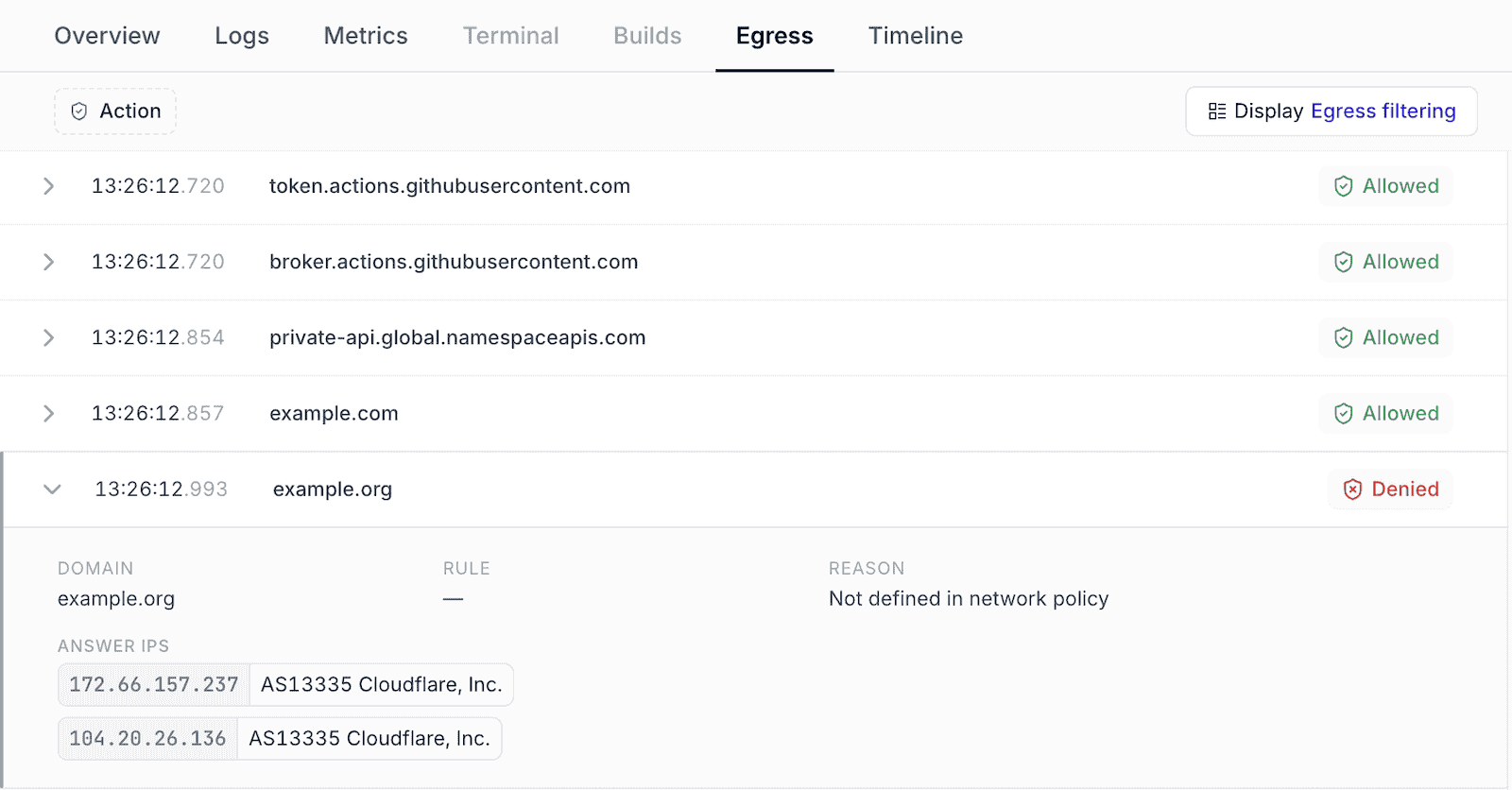
ADVISORY mode to evaluate and record the same policy decisions as BLOCK mode without denying
requests. Review the per-instance egress traffic, add any required
domains, and then update mode to BLOCK. This avoids unexpectedly breaking a workload while
building its allow-list from real traffic.
Use an egress policy
Workspace policies can be reused across GitHub Actions runner profiles, Devboxes, and instances created through the Compute API.GitHub Actions runner profiles
Apply an egress policy to GitHub Actions runners through a runner profile. Open the profile in the web UI and select a workspace policy in its network policy settings. The selected policy applies to every runner created from that profile.Include the
github-actions additional ruleset in policies used with GitHub Actions runners. It allows the traffic required for runner functionality.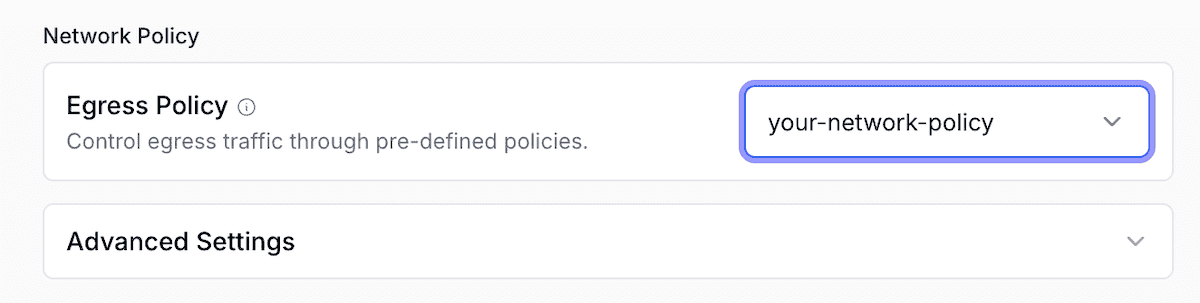
Devboxes
Apply an egress policy to Devboxes through a blueprint. Open the blueprint in the web UI and select a workspace policy in its network policy settings. The selected policy applies to every Devbox created from that blueprint.Include the
devbox additional ruleset in policies used with Devboxes. It allows the traffic required for Devbox functionality.Compute API
To apply a policy per instance, setnetwork_policy.egress_policy_tag on the CreateInstance
request. The tag must identify a policy in the instance’s workspace and is mutually exclusive with
an inline network_policy.egress configuration. See the
CreateInstanceRequest.NetworkPolicy API reference
for the complete schema.
Observe egress traffic
Workspace traffic
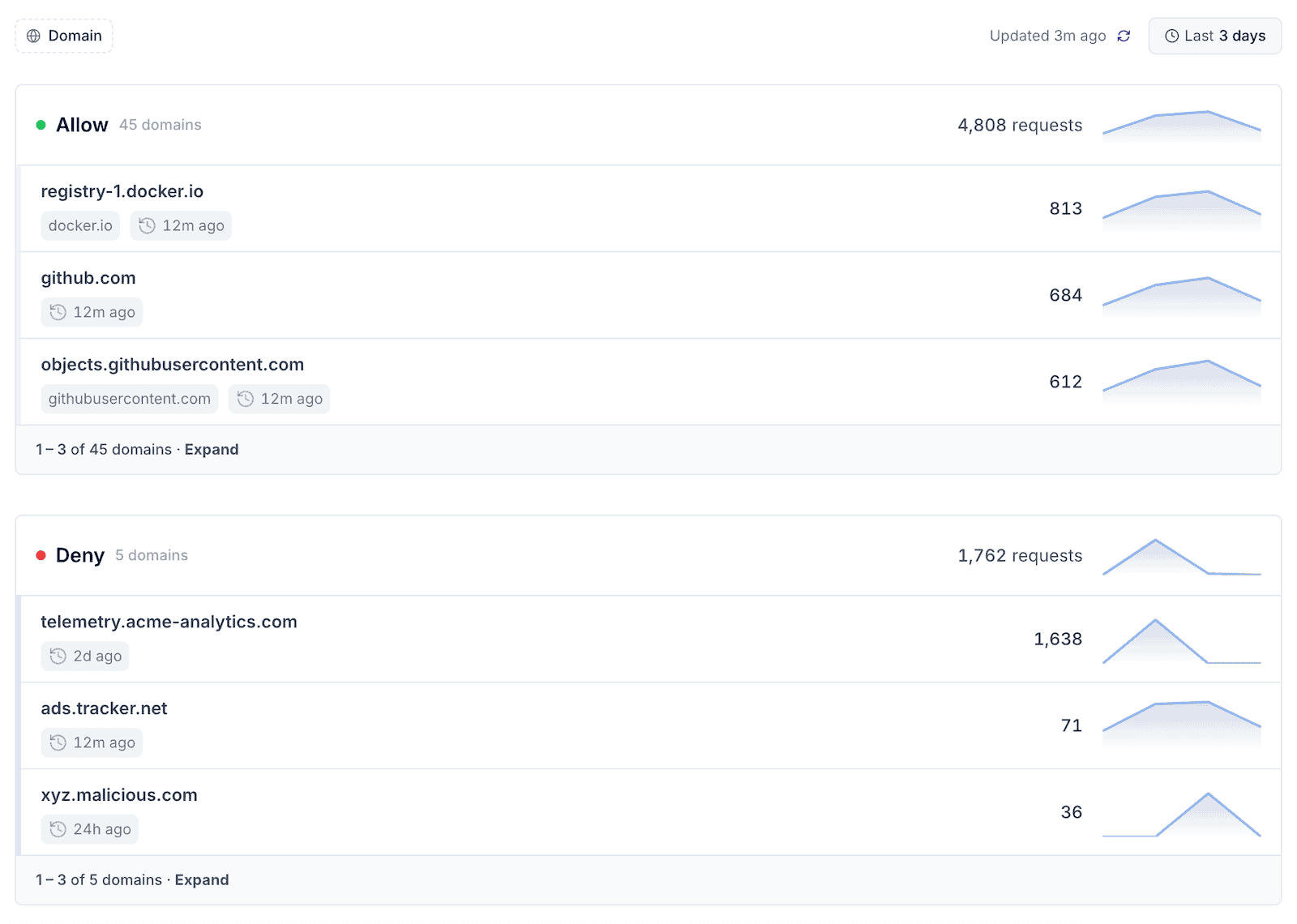
Namespace records outbound policy decisions and shows them in the Egress Filtering dashboard. Requests are grouped by base domain and split into Allowed and Denied, so you can confirm that required destinations are reachable and spot unexpected traffic. You can also inspect decisions withnsc egress logs.
Per-instance egress traffic
The workspace dashboard aggregates traffic across all workloads. To inspect a single workload, open the instance and select its Egress tab. The per-instance view lists allowed and denied requests.