How to reduce Github Actions runtime for an iOS project

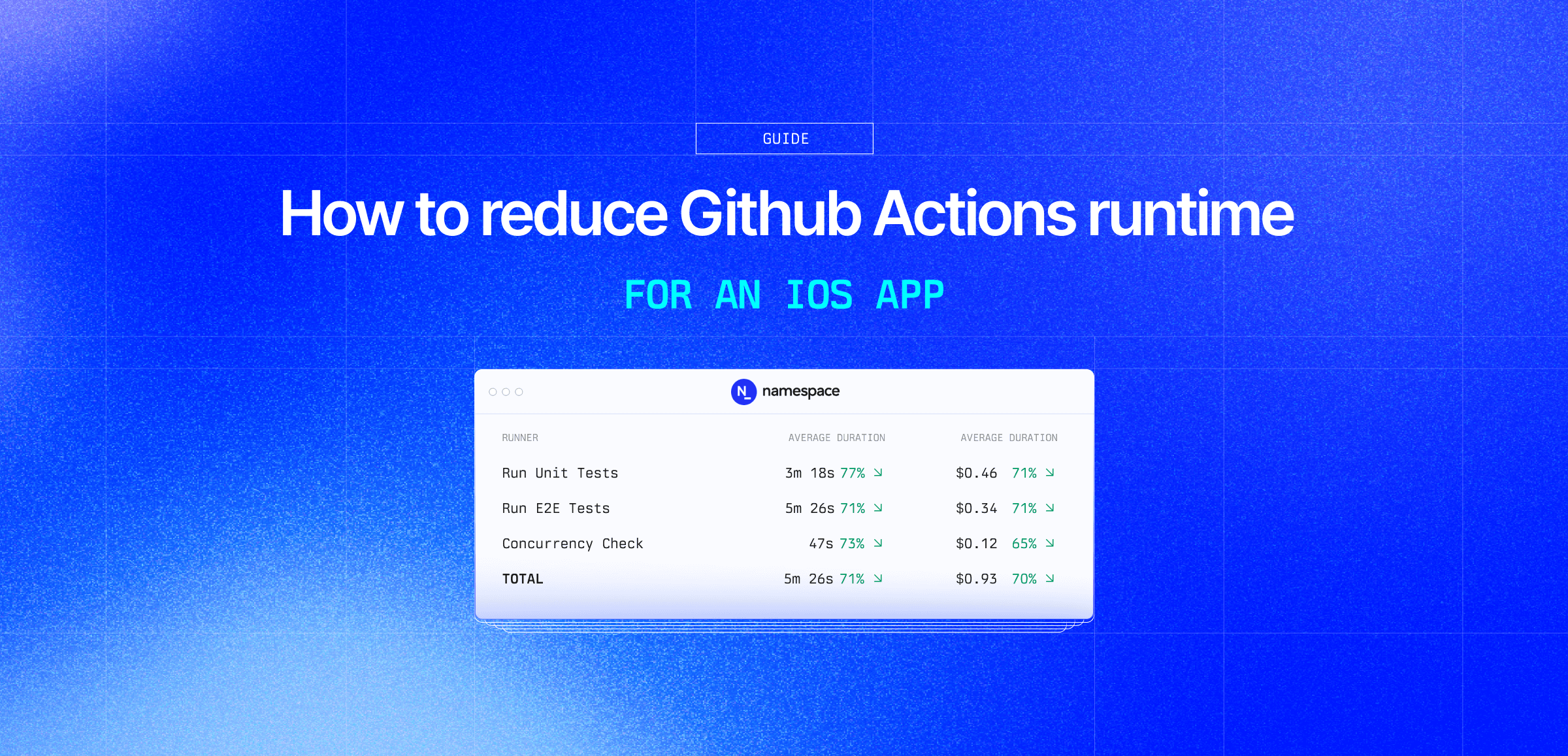
When we started building our compute platform, we built for Linux first. As we started onboarding our early customers, they communicated to us iOS CI was a major pain point for them. It requires Apple hardware, a specific version of Xcode, and commonly they needed to boot a simulator (or five). So we designed and built our macOS offering specifically for those types of workloads.
In this post we will walk through migrating the PR workflows for wikimedia/wikipedia-ios, the Wikipedia app for iOS, to our GitHub Action Runners and Cache Volumes. This cut run time by roughly 3.5x. Wikipedia iOS is a public GitHub repository, so its Actions minutes are already free; modeled as if it were a private, metered repo, the same change would cut the cost of running these workflows by about 70%.
The baseline
Wikipedia iOS gates every pull request on three required workflows: run_unit_tests.yml (a
three-scheme matrix: Wikipedia, WMFComponents, WMFData), run_e2e_ui_tests.yml (a UI smoke suite
in a booted simulator), and strict_concurrency_check.yml (a from-scratch, warnings-as-errors
build of two schemes). All three run on GitHub's hosted macos-26 runners with no dependency
caching.
To create a baseline, we pulled recent successful pull_request-triggered runs of each workflow
from the upstream repo and measured run time: from when a job starts executing to when it
finishes, excluding time spent queued waiting for a runner. Here is what we observed:
| Workflow | Mean Run Time |
|---|---|
| Run Unit Tests | 14m 30s |
| Run E2E Tests | 18m 38s |
| Strict Concurrency Check | 2m 50s |
Step 1: Use Namespace macOS runners
The first change points the three workflows at a Namespace Mac profile, with caching not enabled:
jobs: run-unit-tests:- runs-on: macos-26+ runs-on: namespace-profile-wikipedia-ios-macOne environment gap surfaced while migrating, worth calling out for any iOS project making the
same move: GitHub's macos-26 image ships xcpretty preinstalled, and ours doesn't, so
anything that pipes xcodebuild through it needs an explicit install step:
name: Test ${{ matrix.scheme }} steps:+ - name: Install xcpretty+ run: |+ gem install xcpretty+ - uses: actions/checkout@v7With that fixed, all three workflows were green. Here's the result, averaged across several runs with no caching enabled yet:
| Workflow | GitHub (mean) | Namespace, no cache (mean) |
|---|---|---|
| Run Unit Tests | 14m 30s | 3m 45s↓74% |
| Run E2E Tests | 18m 38s | 6m 01s↓68% |
| Strict Concurrency Check | 2m 50s | 0m 52s↓69% |
Dedicated hardware alone accounts for a 68-74% cut in run time, before caching enters the picture.
Step 2: Enable caching
The second change adds a nscloud-cache-action step to each workflow, caching SwiftPM packages,
CocoaPods, and Xcode's derived data:
- name: Select Xcode run: | sudo xcode-select -switch "/Applications/Xcode_${XCODE_VERSION}.app" + - name: Cache+ uses: namespacelabs/nscloud-cache-action@v1+ with:+ cache: |+ swiftpm+ xcode+ cocoapods+ - name: Prepare simulator id: simulator uses: ./.github/actions/prepare-simulatorHere is what we observed when enabling cache in each workflow:
| Workflow | Namespace, no cache (mean) | Namespace + cache (mean) |
|---|---|---|
| Run Unit Tests | 3m 45s | 3m 18s↓12% |
| Run E2E Tests | 6m 01s | 5m 26s↓10% |
| Strict Concurrency Check | 0m 52s | 0m 47s↓11% |
Those workflow totals still include fixed overhead caching can't touch: checkout, selecting Xcode,
booting the simulator. Isolating just the xcodebuild step per scheme shows caching's effect more
clearly: 10-22% across every scheme, largest on Strict Concurrency's from-scratch SwiftPM builds
(18-21%) and present too on the smaller unit test targets, WMFComponents and WMFData (10-14%). The
cache restore itself never showed measurable time across any of the runs, consistent with a
mounted volume rather than an upload-and-download cycle.
Final results
Putting both changes together, and looking at the slowest of the three required checks on a given PR (the long pole of run time, not counting queue wait), E2E Tests' run time drops from an 18m 38s mean on GitHub-hosted runners to a 5m 26s mean on Namespace with caching.
Wikipedia iOS is a public repository, so its GitHub Actions minutes come at no cost. The cost column below models what these workflows would cost on a private, metered repo, using each side's own published list price: GitHub's standard macOS rate ($0.062/min), and Namespace's 6 vCPU / 14 GB shape at its prepaid rate ($0.060/min):
| Workflow | Mean Run Time | Cost Per Run |
|---|---|---|
| Run Unit Tests | 3m 18s↓77% | $0.46↓71% |
| Run E2E Tests | 5m 26s↓71% | $0.34↓71% |
| Strict Concurrency Check | 0m 47s↓73% | $0.12↓65% |
| Total per PR cycle | 5m 26s↓71% | $0.93↓70% |
At $0.060/min, our shape is already slightly cheaper per minute than GitHub's rate, so the 3.25x fewer billed minutes measured here is pure upside: there's no per-minute premium to make up for.
Scaled to Wikipedia iOS's actual traffic, about 185 runs of each workflow per month, modeled monthly cost (still assuming a private, metered repo) drops from $574.65 on GitHub-hosted runners to $171.27 on Namespace, a savings of roughly $403 a month.
Why Namespace's Mac runners and Cache Volumes are different
GitHub's default hosted macOS runner, the macos-26 label used by these workflows, provides 3 CPU
cores and 7 GB of RAM on Apple M1 hardware. The Mac profile used in this migration,
namespace-profile-wikipedia-ios-mac, is built on our standard 6 vCPU / 14 GB shape, running on
Apple M4 or M5 Max hardware. This gives you more cores, more memory, and the latest silicon at a
lower price per minute. We also design how we rack Mac hardware in our datacenters specifically
for workloads like CI builds and tests.
Caching benefits from the same design philosophy. Our Cache Volumes run on fully local NVMe
storage with high IOPS and no upload or download time, and they persist data across GitHub Actions
runs instead of being fetched fresh from remote storage the way actions/cache works. That gives
a runner instant access to cached data through guaranteed cache locality. Cache Volumes also
support high concurrency through automatic forking and scale up to hundreds of GB.
Try it yourself
Wikipedia iOS is a representative mid-size iOS project: a multi-scheme test matrix, a UI test suite that boots a simulator, and a strict-concurrency build with SwiftPM dependency resolution. The main variables are how much of your workflow is compilation versus fixed overhead, and how often it runs. Get started today.
Frequently asked questions
Most iOS pipelines spend their time in three places: compiling with Xcode, resolving dependencies (SwiftPM or CocoaPods), and booting a simulator to run tests. GitHub's hosted macos-26 runners give every job the same fixed, modest CPU and memory allocation regardless of workload, so a build matrix across several schemes queues up behind that shared capacity.
Without a cache, every run also resolves the full dependency graph from scratch before a single test executes, which adds minutes to jobs that are otherwise dominated by compilation.
Two changes account for most of the gain: run on dedicated hardware, and cache SwiftPM, CocoaPods, and Xcode data between runs. In the case study above, switching Wikipedia's iOS workflows to a Namespace Mac profile cut run time 68-74% before touching caching. Adding nscloud-cache-action on top cut execution time a further 10-22% across every scheme, largest on the from-scratch Strict Concurrency build (18-21%).
Neither change requires restructuring the workflow: the schemes, jobs, and steps stay the same, only the runner label and a couple of setup steps change.
actions/cache uploads and downloads a compressed archive to and from GitHub's remote cache storage on every run, which adds network time on top of the restore itself. nscloud-cache-action uses a cache volume attached directly to the runner, so restoring SwiftPM packages, CocoaPods, and derived Xcode data doesn't involve a network round trip.
For this repo, enabling it was a single added step per workflow, listing swiftpm, xcode, and cocoapods as cache targets, as shown in the diff above. See our caching docs for supported languages and cache modes.