

Enable Git checkout caching
Open your runner profile in the Dashboard and enable Git repository checkouts in the caching section.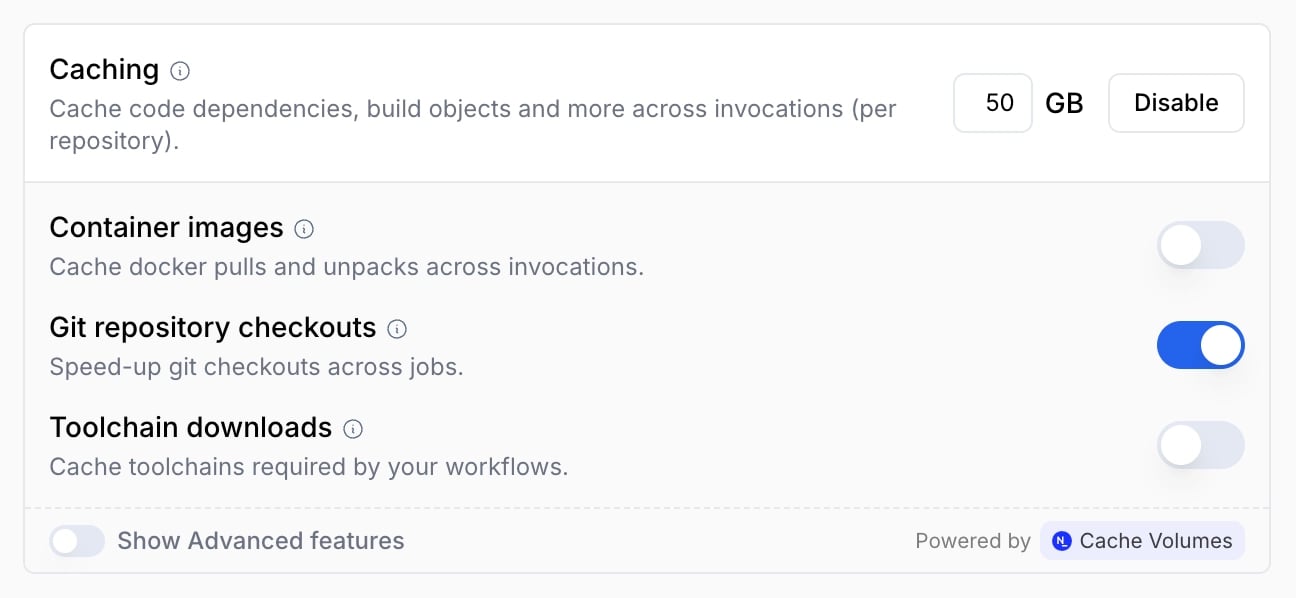
Configure your workflow
To start using the newly enabled cache in your workflow, replace mentions of Check out the action reference for a full
list of supported options.
actions/checkout with nscloud-checkout-action:Cache isolation per repository
Namespace automatically creates an isolated cache volume for each GitHub repository that uses git checkout caching. The cache volume tag follows the schemagithub-git-mirror-{owner}-{repository}, so mirrors from different repositories never collide.
Expected use cases
Thenamespacelabs/nscloud-checkout-action is optimized to speed up only specific use-cases.
If your workflows do not belong to these, you might not see the expected performance improvement.
- Very large repositories: when the workflow needs to check out a repository with many or big files.
- Checkout long commits history: when the workflow needs to check out many commits (the default is only 1).
- Repositories with a large set of submodules.
- Repositories with Git LFS objects.