So You Want to Build Your Own Datacenter

Since early 2024 we've been running >95% of our platform on our own infrastructure. Our journey to run our own bare metal was not a straight line. It required some adjusting, and a lot of learning along the way.
We kept noticing that builds ran faster on our workstations than on our cloud instances. The hyperscaler cloud provides so many benefits, but it can’t escape first principle physics.
Hyperscalers buy hardware for production workloads. Long-running services, predictable utilization, and dense packing for efficiency where their CPUs tend to favor core count over clock speed.
Developer and agentic workflows, CI builds in particular, are different. Many cores are good, but they need to be very fast. They benefit dramatically from locally attached NVMe storage because they're I/O heavy. And when you need to push bytes around (for example your container pushes), you want to do so quickly.
You can rent some of this hardware. There are bare metal providers that offer high-frequency CPUs. But single-machine performance is only a part of the story. But what happens when you need hundreds of machines working together? That's where designing the rack, from compute, to storage and the network fabric, compounds the advantage.
The performance gap between hyperscaler defaults and build-optimized hardware isn't 10%, it can be multiples. We wanted the same performance, at scale.
This post takes you on the journey of what we built and what we learned.
The Journey to Bare Metal
When Namespace’s infrastructure got started, we knew from experience that we wanted to lean on the ability to run fully isolated ephemeral jobs.
That need meant we had to own the hypervisor. And owning the hypervisor meant we had to do the orchestration. But it also meant we needed hardware to orchestrate our virtual machines on.
commit 212f7efad8c6311ea6b5694652dde97dab3b2472Author: Hugo Santos <hugo@namespacelabs.com>Date: Tue Nov 29 16:26:44 2022 +0100 service/vm: complete revamp of how VMs work.We did what most folks did, start building on AWS. More specifically, z1d.metal. AWS is fantastic, but we soon felt that the unit economics didn’t quite work out. We wanted to deliver performance at a price point that made sense. And the math wasn’t working out.
What was the problem?
The problem is structural. Hyperscalers buy CPUs that favor core count over clock speed because production workloads parallelize well. They separate storage from compute because most production services don't need data locality. They optimize for predictable, steady utilization because that's what production looks like.
Our workloads have the opposite characteristics. Compilation has sequential critical paths. Builds need the same cached data over and over. Utilization spikes then drops to zero.
The hardware hyperscalers buy is optimized for a job we're not doing. No amount of configuration fixes that.
To help make our unit economics better, we started building on Equinix Metal. As hardware-meet-software geeks we had a deep appreciation for Equinix Metal’s API approach to hardware provisioning, network configuration, etc.
In parallel, we started running some experiments with the latest AMD CPUs. And what a difference. While Equinix Metal’s API was fantastic, the hardware available was not the latest.
We searched around and found a couple providers that offered up to date specs, but the tradeoff was less robust APIs.
Moving Into Our Own Facilities
Before Namespace, I was at DigitalOcean and I have my own homelab. As does Namespace’s CEO Hugo. Putting together hardware was not scary. Although we both encountered our challenges with cooling.
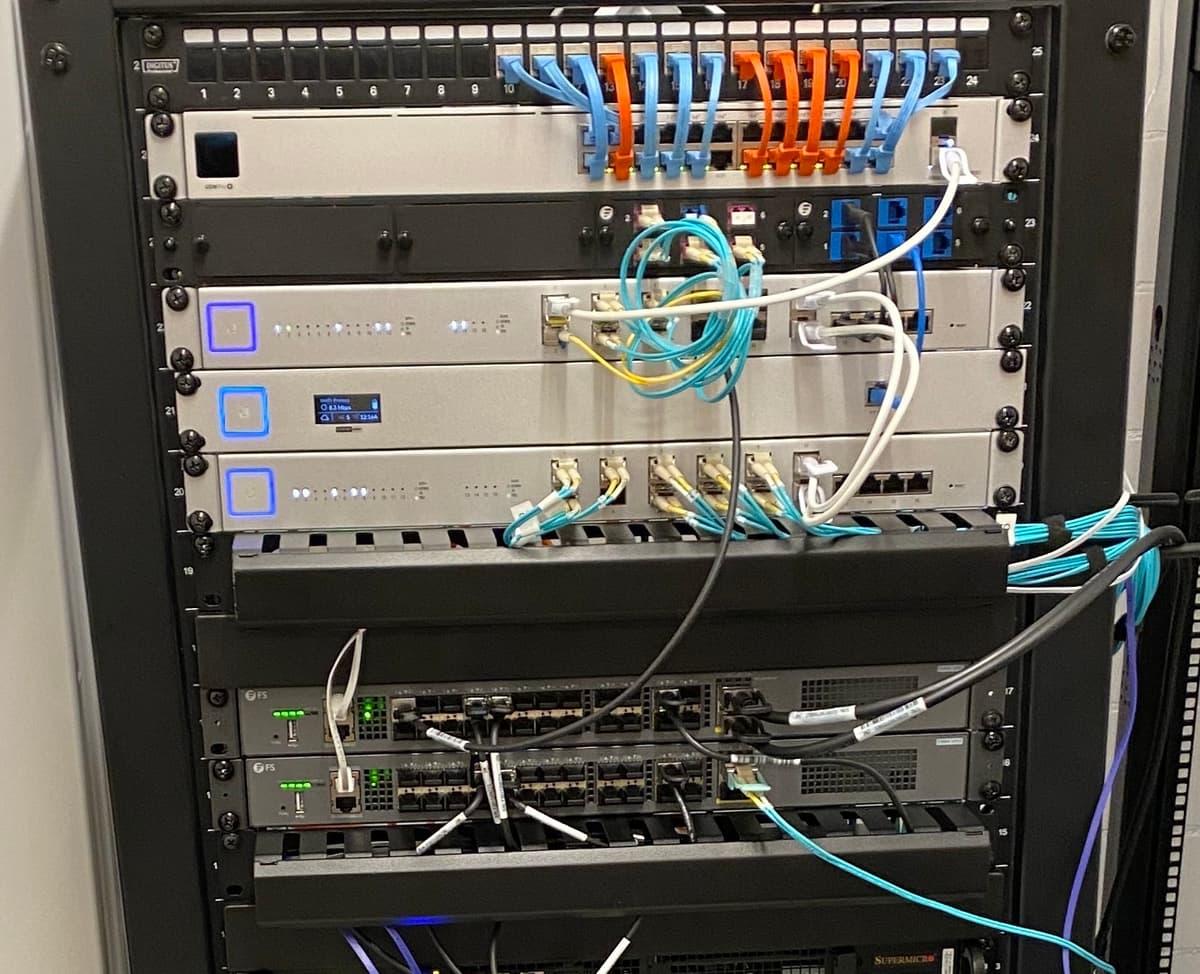
So when we started building for performance, being deliberate about the hardware came in as second nature.
Because we owned the orchestration, we started seeing performance gains that went beyond a single node. There were places that offered 10 GBit links between nodes. But we knew we needed 25, 50, and sometimes 100 GBit to hit some of our service goals.
We had very high performance nodes, but we still had to push data between them. That’s where our first rack design came in.
Compute. Storage. Networking. Deliberately put together.
What We Built
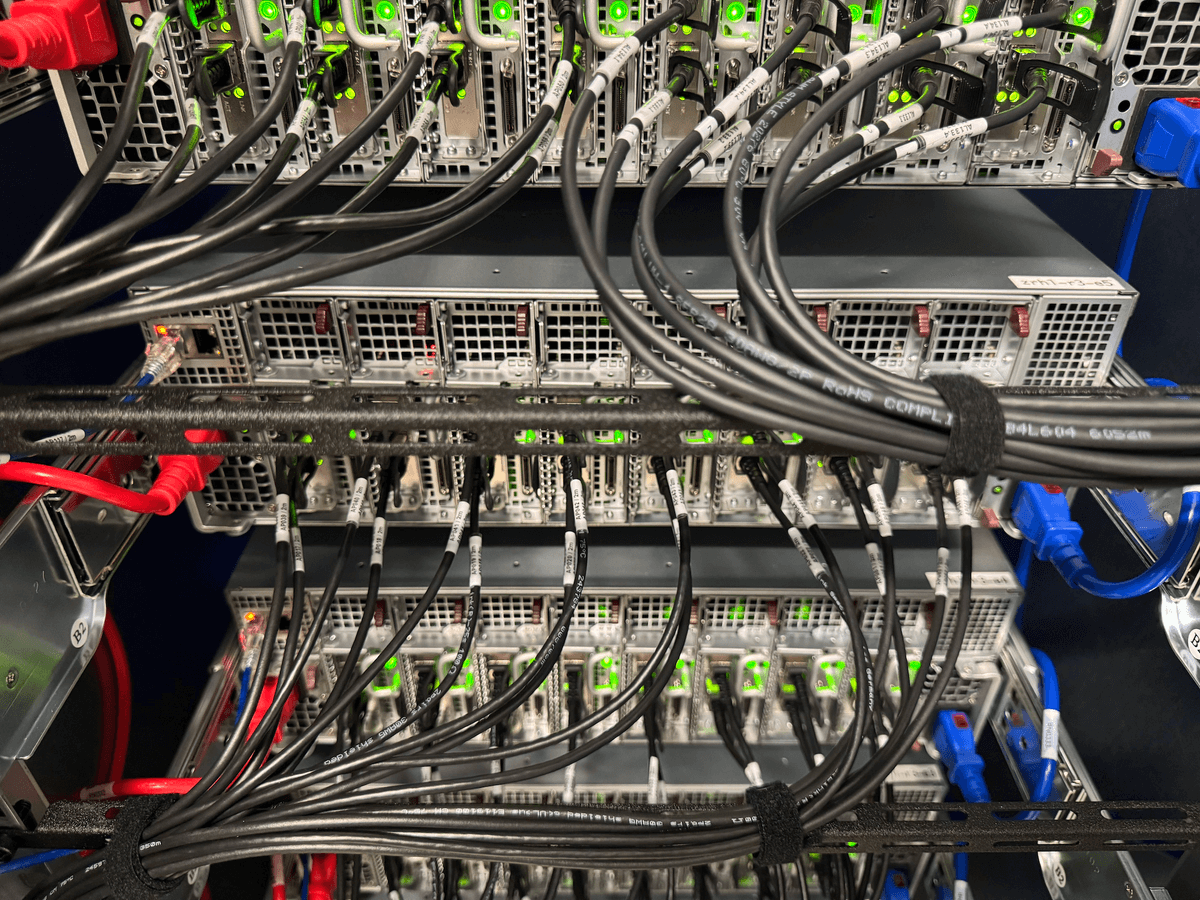
A typical Namespace rack has two top-of-rack switches, a management switch for out-of-band access, and servers.
Servers come in three forms: a compute optimized model, a memory optimized model and a storage optimized model.
Depending on data center and utilization targets, a rack may see a different configuration ratio. But otherwise the deployment is uniform, and sized to fit the available network capacity to the rack. All servers carry current generation CPUs, a lot of memory (turns out Linux is great at utilizing all of the RAM you give it), and many NVMes.
We have a data center presence across multiple locations: including multiple in the US East Coast, West Coast, and Europe.
CPUs Built for Builds
Production servers want lots of cores at moderate clock speeds.Most builds benefit from having fewer cores at the highest possible clock speed.
We run high-frequency AMD EPYC SKUs, not server-oriented ones. The server segment optimizes for density. The desktop segment optimizes for single-threaded speed.
Builds (and CI) care about single-threaded speed. Compilation is partially parallelizable, but the critical path through any build graph is sequential. Test frameworks parallelize across files, but each test runs on one thread. Faster threads mean faster jobs.
If you've noticed your laptop builds code faster than a beefy cloud instance, this is why. Your laptop has a desktop-class chip. Cloud instances have server-class chips optimized for a different workload.
For Linux on ARM64, we run Apple Silicon (yepyeap, that’s another story on its own). We also use Macs for macOS, iOS. We chose the fastest chip for each platform, not the densest.
Storage That Stays Local
Production architecture separates storage from compute. Stateless services, data in a database somewhere else. Clean abstraction, scales horizontally.
Builds don't work that way. They access the same cached data repeatedly. They're I/O heavy. The latency between compute and storage matters.
Traditional CI caching downloads an archive from blob storage, extracts it, runs the build, compresses results, and uploads them back, every job, every time.
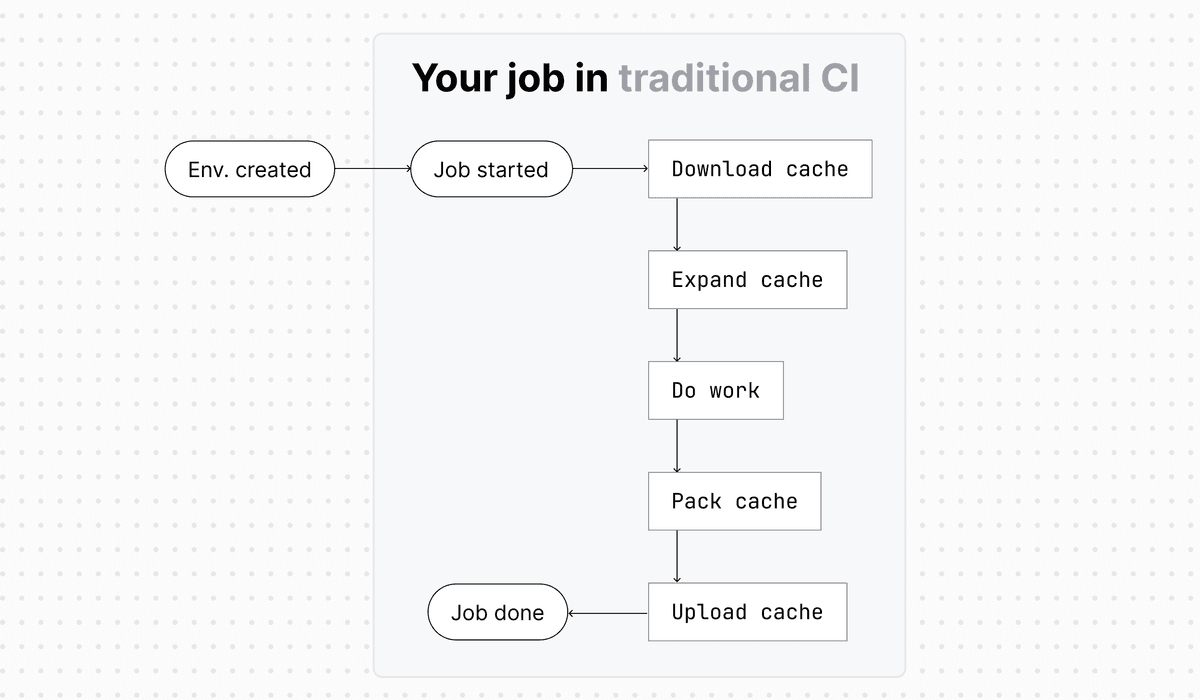
We eliminated that transfer.
With our vertically integrated stack, we introduced Cache Volumes. Rather than network-attached, they’re topology aware snapshots that get attached to jobs just-in-time.
Our scheduler tracks which cache revisions exist on which nodes. When a job arrives, it routes to a node where the cache is already local, so there's no download and no extract.
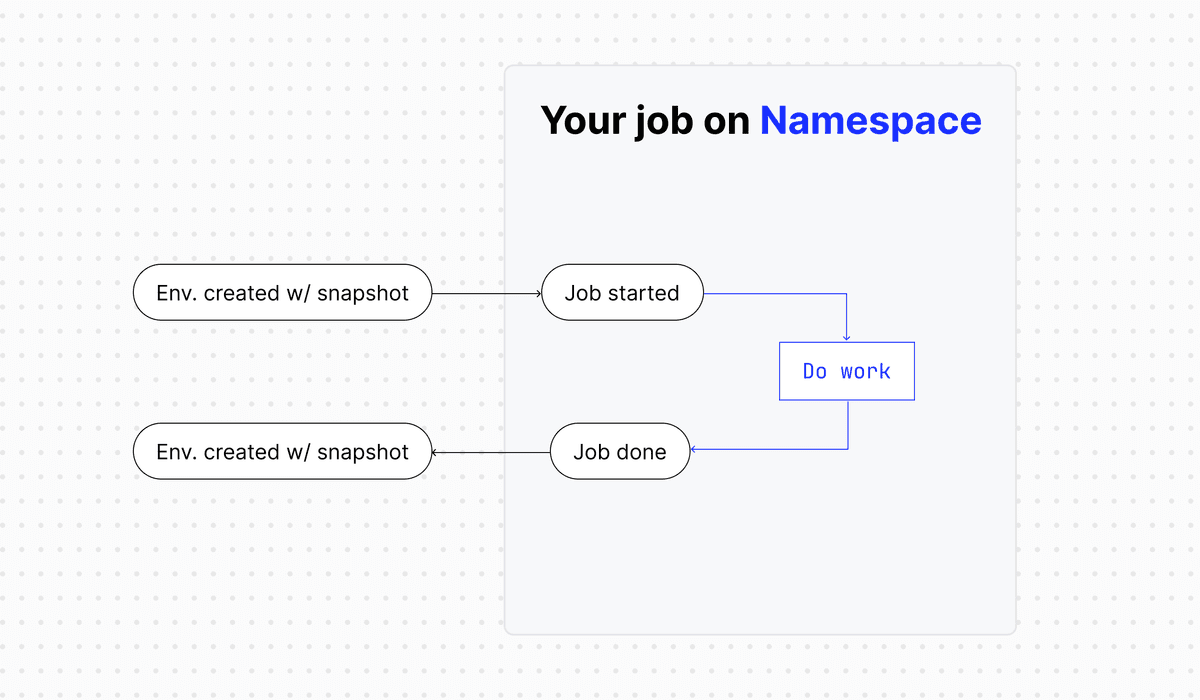
This required building our own scheduler. Our own storage layer. Our own image management layer.
Production separates storage and compute for good reasons. Our performance needs brought them back together.
Network We Control
We run our own IP ranges and peer directly with transit providers. IP addresses carry reputation. Ranges used for spam get blacklisted everywhere. Controlling clean ranges lets us offer dedicated egress IPs that only one customer's jobs use.
After suffering from network outages when running on rented gear, it was important to us to control both the network within the cluster, but also our ingress and egress.
We run a standard Clos topology. It helps us know the available capacity between any two nodes. Our scheduler uses that when placing jobs that move data.
Power Before Space
Hyperscalers optimize for density. We optimize for performance, which means different tradeoffs.
High-frequency CPUs draw more power per core than high-density ones. Racks have power budgets. You can fill every slot with high-power hardware, but you won’t fit the power budget of most data centers where you can rent a cabinet.
And don’t be surprised when you hear from a data center that they only do maximum 3kW or 8kW per cabinet. Look for folks that allow you to go dense.
We plan racks around power first. The mix of enclosures, 1U servers, and Apple Silicon follows from the power math. This wasn't on our radar early on, and our first rack designs had to be revised.
If you're building a rack, even at home lab scale, add up power draw before physical space.
Lead Times, Not Elasticity
Cloud scales on demand. Hardware requires planning months ahead (or weeks, if you’re growing quickly…).
Enterprise equipment ships in weeks to months. You can't react to immediate traffic spikes with new hardware. You react by having already deployed the capacity you anticipated.
This requires forecasting growth and building ahead of demand. If your growth is unpredictable, you’ll have to be creative. Or the data center journey is not for you.
What We Got Wrong
We’re now at revision 3 of our data center design. We started by thinking in servers, then racks, now we think in cages (don’t be alarmed, a private cage is standard data center lingo).
Balancing compute vs power was something that took us a few times until we got right.
Procurement timelines took adjustment. We had to build new planning processes. And you’re moving physical bits around, so you need to account for all worst case scenarios (I’m looking at you January cold snap).
And getting networking right, including our peering, was hard and continues to be hard. It’s worth it for us, but requires appropriate time budgeting.
The Core Question
You’ve heard all of the stories about exiting AWS and deploying your own hardware.
And you’re thinking, is this for me?
First, look around, do you have folks in the team that can deploy software to bare metal (probably you do), and can manage your procurement process (hm, maybe) and can run your network (ok… maybe you contract that one out).
Pair that up with a cost analysis and workloads that draw true benefits from the hardware composition.
Now you’re in business.
Be ready, it will be rough. But awesome too.
We're hiring engineers who want to work on this infrastructure. If this sounds interesting, check out our careers page.