> ## Documentation Index
> Fetch the complete documentation index at: https://namespace.so/docs/llms.txt
> Use this file to discover all available pages before exploring further.
# Public API
> Call the Namespace API directly over gRPC or Connect, from any language.
The Namespace API is defined in Protocol Buffers and published at [buf.build/namespace/cloud](https://buf.build/namespace/cloud). The schema registry documents every service, its procedures, and the request and response types for each one, including the fields they carry and their intended use.
Use this page when you call the API without one of the [maintained SDKs](/docs/reference/sdk). The schema registry generates clients for over 15 languages, and any language that can make an HTTP request can call the API directly.
## Generated clients for other languages
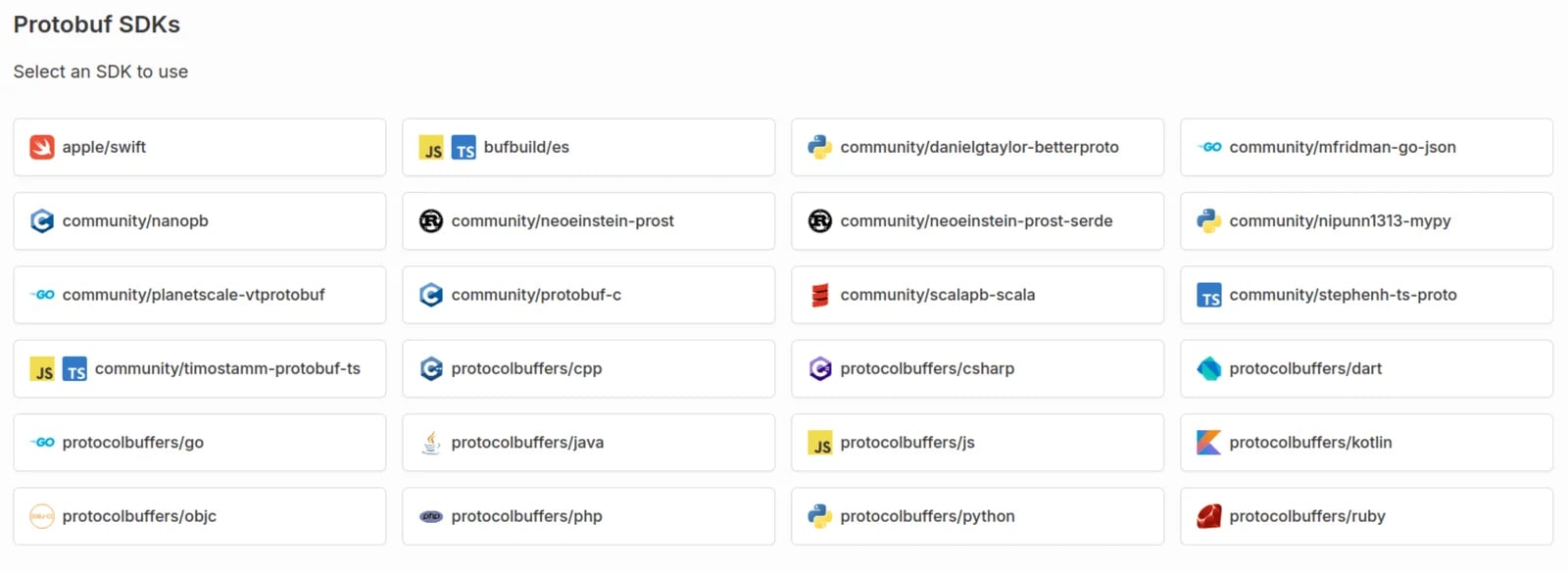
Install a client for your language from the [SDKs page](https://buf.build/namespace/cloud/sdks), which covers Python, Rust, and more. These clients are generated from the published schema rather than maintained by Namespace, so they expose every procedure and message type without the conveniences of the [maintained SDKs](/docs/reference/sdk).
 For Elixir, the [reference implementation](https://github.com/tuist/tuist/blob/401ab9e171311d8428ec4793f46ea4eb4dab64a7/server/lib/tuist/namespace.ex) maintained by [Tuist](https://tuist.dev) demonstrates how to manage tenants, create instances, ensure readiness, and gain programmatic instance access over SSH.
## Endpoints
Namespace serves the API over gRPC and the [Connect protocol](https://connectrpc.com). Which host you dial depends on the service family.
| Endpoint | Serves |
| ------------------------------------ | ------------------------------------------------------------------------------------------------------------------------------------- |
| `{region}.compute.namespaceapis.com` | Compute instances, commands run on them, their volumes, usage, and observability. `{region}` is a value such as `us` or `eu`. |
| `{region}.storage.namespaceapis.com` | Artifact storage. |
| `iam.namespaceapis.com` | Tenants, tokens, and tenant membership. |
| `global.namespaceapis.com` | The container registry, vault secrets, images, GitHub integration, egress policy, and the Bazel, Gradle, and HTTP cache integrations. |
The schema holds more service families than this table lists, so confirm the endpoint on the service's own page in the schema registry before you call it.
Regional resources exist in the region that created them, so a call must reach the endpoint for that region. From inside a Namespace instance, `NSC_ENDPOINT` points at the Compute endpoint for the region the instance runs in.
## Authentication
Every call carries a Namespace token in an `Authorization` header:
```text theme={null}
Authorization: Bearer
```
How you obtain the token depends on where your code runs.
### Automated workloads
Configure [federation](/docs/federation) so the workload exchanges its OpenID Connect identity for short-lived, scoped Namespace credentials, which avoids storing a long-lived shared secret in your CI system. Start with a [trust relationship](/docs/reference/cli/auth-trust-relationships-add) for the provider's issuer and subject, then exchange the provider's token:
```bash theme={null}
nsc auth exchange-oidc-token \
--token "$OIDC_TOKEN" \
--tenant_id "$NAMESPACE_WORKSPACE_ID"
```
The command stores the credential where `nsc` and the maintained SDKs look for it, rather than printing it. To obtain a token for raw HTTP calls, run the same exchange as an API call: [`TokenService.IssueTenantTokenWithOIDC`](https://buf.build/namespace/cloud/docs/main:namespace.cloud.iam.v1beta#namespace.cloud.iam.v1beta.TokenService) authenticates with the OIDC token in the request and returns a `bearer_token`.
See the guides for [OpenID Connect](/docs/federation/openid), [GitHub Actions](/docs/federation/github-actions), [CircleCI](/docs/federation/circleci), [Google Cloud](/docs/federation/gcp), [AWS](/docs/federation/aws), and [RWX](/docs/federation/rwx).
### Local development
After [`nsc login`](/docs/reference/cli/login), print a token for your workspace:
```bash theme={null}
export NSC_TOKEN=$(nsc auth generate-dev-token)
```
Development tokens are meant for experiments and direct calls from your own machine. Pass `--output_to` to write the token to a file instead. See [`nsc auth generate-dev-token`](/docs/reference/cli/auth-generate-dev-token).
### Where federation is unavailable
Create a [revokable token](/docs/reference/cli/token-create) with an explicit scope and expiration, for CI systems without OIDC support or for automated scripts:
```bash theme={null}
nsc token create
```
Keep the token out of source control, and [revoke](/docs/reference/cli/token-revoke) it when it is no longer needed.
### Inside a Namespace workload
Workloads running on Namespace already receive a credential, so no exchange step is needed. The credential is a JSON file named by `NSC_TOKEN_FILE`, or `/var/run/nsc/token.json` when that variable is unset. Read the `bearer_token` field from it rather than passing the file contents:
```bash theme={null}
export NSC_TOKEN=$(jq -r .bearer_token "${NSC_TOKEN_FILE:-/var/run/nsc/token.json}")
```
## Make a call
Connect serves each unary procedure as an HTTP `POST` to `/./`, with the request message as the JSON body. Listing compute instances in the `us` region looks like this:
```bash theme={null}
curl -X POST \
-H "Authorization: Bearer $NSC_TOKEN" \
-H "Content-Type: application/json" \
-d '{"maxEntries": "10"}' \
https://us.compute.namespaceapis.com/namespace.cloud.compute.v1beta.ComputeService/ListInstances
```
`maxEntries` is a 64-bit integer, which Protobuf JSON encodes as a string.
The response is the Protobuf JSON encoding of the procedure's response message, so this call returns a `ListInstancesResponse` with an `instances` array and a `paginationCursor`. Field names, defaults, and semantics are described in the [`ComputeService`](https://buf.build/namespace/cloud/docs/main:namespace.cloud.compute.v1beta) reference.
Streaming procedures, such as `WaitInstance` and `StreamInstanceLogs`, do not use this request shape. They rely on Connect's streaming content type and envelope framing, so call them through a generated client unless you intend to implement the wire protocol yourself.
The same procedure is reachable over gRPC. For a worked gRPC example, see the [HTTP Cache API](/docs/integrations/any-framework#using-the-http-cache-api), which calls a procedure on the global endpoint with `grpcurl`.
## Errors
Failures carry a status code and a message. The codes are the standard gRPC and Connect set, and the schema registry documents which ones each procedure returns. The ones you are most likely to handle:
| Code | Meaning |
| -------------------- | -------------------------------------------------------------------------------------- |
| `Unauthenticated` | The token is missing, malformed, or expired. |
| `PermissionDenied` | The credential is valid but not authorized for the resource. |
| `NotFound` | The referenced resource, such as an instance ID, does not exist. |
| `InvalidArgument` | The request is malformed, for example an unknown region. |
| `FailedPrecondition` | The resource exists but is in the wrong state, such as an already terminated instance. |
| `ResourceExhausted` | The workspace is out of capacity or has hit a limit. |
## IAM integration
To create and manage multiple workspaces programmatically, integrate with [Namespace IAM](https://buf.build/namespace/cloud/docs/main:namespace.cloud.iam.v1beta) on `iam.namespaceapis.com`. Namespace verifies tokens through trust relationships built on public-key cryptography and the OpenID Connect standard, rather than pre-shared keys, which are more easily compromised. See [Federation](/docs/federation) for the setup on each provider.
## Related documentation
Maintained clients for TypeScript and Go.
Exchange an OIDC identity for Namespace credentials.
Working examples in Go, TypeScript, and Python.
For Elixir, the [reference implementation](https://github.com/tuist/tuist/blob/401ab9e171311d8428ec4793f46ea4eb4dab64a7/server/lib/tuist/namespace.ex) maintained by [Tuist](https://tuist.dev) demonstrates how to manage tenants, create instances, ensure readiness, and gain programmatic instance access over SSH.
## Endpoints
Namespace serves the API over gRPC and the [Connect protocol](https://connectrpc.com). Which host you dial depends on the service family.
| Endpoint | Serves |
| ------------------------------------ | ------------------------------------------------------------------------------------------------------------------------------------- |
| `{region}.compute.namespaceapis.com` | Compute instances, commands run on them, their volumes, usage, and observability. `{region}` is a value such as `us` or `eu`. |
| `{region}.storage.namespaceapis.com` | Artifact storage. |
| `iam.namespaceapis.com` | Tenants, tokens, and tenant membership. |
| `global.namespaceapis.com` | The container registry, vault secrets, images, GitHub integration, egress policy, and the Bazel, Gradle, and HTTP cache integrations. |
The schema holds more service families than this table lists, so confirm the endpoint on the service's own page in the schema registry before you call it.
Regional resources exist in the region that created them, so a call must reach the endpoint for that region. From inside a Namespace instance, `NSC_ENDPOINT` points at the Compute endpoint for the region the instance runs in.
## Authentication
Every call carries a Namespace token in an `Authorization` header:
```text theme={null}
Authorization: Bearer
```
How you obtain the token depends on where your code runs.
### Automated workloads
Configure [federation](/docs/federation) so the workload exchanges its OpenID Connect identity for short-lived, scoped Namespace credentials, which avoids storing a long-lived shared secret in your CI system. Start with a [trust relationship](/docs/reference/cli/auth-trust-relationships-add) for the provider's issuer and subject, then exchange the provider's token:
```bash theme={null}
nsc auth exchange-oidc-token \
--token "$OIDC_TOKEN" \
--tenant_id "$NAMESPACE_WORKSPACE_ID"
```
The command stores the credential where `nsc` and the maintained SDKs look for it, rather than printing it. To obtain a token for raw HTTP calls, run the same exchange as an API call: [`TokenService.IssueTenantTokenWithOIDC`](https://buf.build/namespace/cloud/docs/main:namespace.cloud.iam.v1beta#namespace.cloud.iam.v1beta.TokenService) authenticates with the OIDC token in the request and returns a `bearer_token`.
See the guides for [OpenID Connect](/docs/federation/openid), [GitHub Actions](/docs/federation/github-actions), [CircleCI](/docs/federation/circleci), [Google Cloud](/docs/federation/gcp), [AWS](/docs/federation/aws), and [RWX](/docs/federation/rwx).
### Local development
After [`nsc login`](/docs/reference/cli/login), print a token for your workspace:
```bash theme={null}
export NSC_TOKEN=$(nsc auth generate-dev-token)
```
Development tokens are meant for experiments and direct calls from your own machine. Pass `--output_to` to write the token to a file instead. See [`nsc auth generate-dev-token`](/docs/reference/cli/auth-generate-dev-token).
### Where federation is unavailable
Create a [revokable token](/docs/reference/cli/token-create) with an explicit scope and expiration, for CI systems without OIDC support or for automated scripts:
```bash theme={null}
nsc token create
```
Keep the token out of source control, and [revoke](/docs/reference/cli/token-revoke) it when it is no longer needed.
### Inside a Namespace workload
Workloads running on Namespace already receive a credential, so no exchange step is needed. The credential is a JSON file named by `NSC_TOKEN_FILE`, or `/var/run/nsc/token.json` when that variable is unset. Read the `bearer_token` field from it rather than passing the file contents:
```bash theme={null}
export NSC_TOKEN=$(jq -r .bearer_token "${NSC_TOKEN_FILE:-/var/run/nsc/token.json}")
```
## Make a call
Connect serves each unary procedure as an HTTP `POST` to `/./`, with the request message as the JSON body. Listing compute instances in the `us` region looks like this:
```bash theme={null}
curl -X POST \
-H "Authorization: Bearer $NSC_TOKEN" \
-H "Content-Type: application/json" \
-d '{"maxEntries": "10"}' \
https://us.compute.namespaceapis.com/namespace.cloud.compute.v1beta.ComputeService/ListInstances
```
`maxEntries` is a 64-bit integer, which Protobuf JSON encodes as a string.
The response is the Protobuf JSON encoding of the procedure's response message, so this call returns a `ListInstancesResponse` with an `instances` array and a `paginationCursor`. Field names, defaults, and semantics are described in the [`ComputeService`](https://buf.build/namespace/cloud/docs/main:namespace.cloud.compute.v1beta) reference.
Streaming procedures, such as `WaitInstance` and `StreamInstanceLogs`, do not use this request shape. They rely on Connect's streaming content type and envelope framing, so call them through a generated client unless you intend to implement the wire protocol yourself.
The same procedure is reachable over gRPC. For a worked gRPC example, see the [HTTP Cache API](/docs/integrations/any-framework#using-the-http-cache-api), which calls a procedure on the global endpoint with `grpcurl`.
## Errors
Failures carry a status code and a message. The codes are the standard gRPC and Connect set, and the schema registry documents which ones each procedure returns. The ones you are most likely to handle:
| Code | Meaning |
| -------------------- | -------------------------------------------------------------------------------------- |
| `Unauthenticated` | The token is missing, malformed, or expired. |
| `PermissionDenied` | The credential is valid but not authorized for the resource. |
| `NotFound` | The referenced resource, such as an instance ID, does not exist. |
| `InvalidArgument` | The request is malformed, for example an unknown region. |
| `FailedPrecondition` | The resource exists but is in the wrong state, such as an already terminated instance. |
| `ResourceExhausted` | The workspace is out of capacity or has hit a limit. |
## IAM integration
To create and manage multiple workspaces programmatically, integrate with [Namespace IAM](https://buf.build/namespace/cloud/docs/main:namespace.cloud.iam.v1beta) on `iam.namespaceapis.com`. Namespace verifies tokens through trust relationships built on public-key cryptography and the OpenID Connect standard, rather than pre-shared keys, which are more easily compromised. See [Federation](/docs/federation) for the setup on each provider.
## Related documentation
Maintained clients for TypeScript and Go.
Exchange an OIDC identity for Namespace credentials.
Working examples in Go, TypeScript, and Python.