> ## Documentation Index
> Fetch the complete documentation index at: https://namespace.so/docs/llms.txt
> Use this file to discover all available pages before exploring further.
# Devbox Services
> Run dev servers and other long-lived processes on a Devbox, restarted on failure and started on every boot.
export const KeepTabPosition = () => {
useEffect(() => {
const stateKey = "__namespaceKeepTabPosition";
const releaseState = state => {
state.instances -= 1;
if (state.instances > 0) return;
state.removeListeners();
if (window[stateKey] === state) delete window[stateKey];
};
const existingState = window[stateKey];
if (existingState) {
existingState.instances += 1;
return () => releaseState(existingState);
}
const maxSettleTime = 250;
const requiredStableFrames = 3;
const positionTolerance = 0.5;
let animationFrame;
let observer;
let settleDeadline;
let stableFrames = 0;
let tabListToKeep;
let tabListTop;
const findTab = event => {
if (!(event.target instanceof Element)) return null;
return event.target.closest(".tab-container [role='tab']");
};
const findScrollContainer = element => {
for (let parent = element.parentElement; parent; parent = parent.parentElement) {
const {overflowY} = getComputedStyle(parent);
if ((overflowY === "auto" || overflowY === "scroll") && parent.scrollHeight > parent.clientHeight) {
return parent;
}
}
return null;
};
const stopKeepingPosition = () => {
if (animationFrame) cancelAnimationFrame(animationFrame);
animationFrame = undefined;
observer?.disconnect();
tabListToKeep = undefined;
};
const restoreTabListPosition = () => {
if (!tabListToKeep?.isConnected) return 0;
const offset = tabListToKeep.getBoundingClientRect().top - tabListTop;
if (Math.abs(offset) < positionTolerance) return offset;
const scrollOptions = {
top: offset,
behavior: "instant"
};
const scrollContainer = findScrollContainer(tabListToKeep);
if (scrollContainer) {
scrollContainer.scrollBy(scrollOptions);
} else {
window.scrollBy(scrollOptions);
}
return offset;
};
const settlePosition = () => {
const offset = restoreTabListPosition();
stableFrames = Math.abs(offset) < positionTolerance ? stableFrames + 1 : 0;
if (stableFrames >= requiredStableFrames || performance.now() >= settleDeadline) {
stopKeepingPosition();
return;
}
animationFrame = requestAnimationFrame(settlePosition);
};
observer = new MutationObserver(() => {
stableFrames = 0;
restoreTabListPosition();
});
const keepTabListInPlace = tab => {
stopKeepingPosition();
tabListToKeep = tab.closest("[role='tablist']");
if (!tabListToKeep) return;
tabListTop = tabListToKeep.getBoundingClientRect().top;
settleDeadline = performance.now() + maxSettleTime;
stableFrames = 0;
observer.observe(document.getElementById("content") ?? document.documentElement, {
attributes: true,
attributeFilter: ["aria-selected", "class"],
childList: true,
subtree: true
});
animationFrame = requestAnimationFrame(settlePosition);
};
const selectWithoutNavigation = event => {
if (!event.isTrusted) return;
const tab = findTab(event);
if (!tab) return;
keepTabListInPlace(tab);
event.preventDefault();
event.stopPropagation();
tab.click();
restoreTabListPosition();
};
const selectWithKeyboard = event => {
if (!event.isTrusted) return;
const tab = findTab(event);
const tabList = tab?.closest("[role='tablist']");
if (!tab || !tabList) return;
const tabs = Array.from(tabList.querySelectorAll(":scope > [role='tab']"));
const currentIndex = tabs.indexOf(tab);
let nextIndex;
switch (event.key) {
case "ArrowLeft":
nextIndex = (currentIndex - 1 + tabs.length) % tabs.length;
break;
case "ArrowRight":
nextIndex = (currentIndex + 1) % tabs.length;
break;
case "Home":
nextIndex = 0;
break;
case "End":
nextIndex = tabs.length - 1;
break;
case "Enter":
case " ":
nextIndex = currentIndex;
break;
default:
return;
}
keepTabListInPlace(tab);
event.preventDefault();
event.stopPropagation();
tabs[nextIndex]?.click();
tabs[nextIndex]?.focus({
preventScroll: true
});
restoreTabListPosition();
};
document.addEventListener("click", selectWithoutNavigation, true);
document.addEventListener("keydown", selectWithKeyboard, true);
const state = {
instances: 1,
removeListeners: () => {
stopKeepingPosition();
document.removeEventListener("click", selectWithoutNavigation, true);
document.removeEventListener("keydown", selectWithKeyboard, true);
}
};
window[stateKey] = state;
return () => releaseState(state);
}, []);
return null;
};
A service is a command that a Devbox keeps running for you. The Devbox starts it when you create it and again every time the Devbox boots. If the command exits with an error, the Devbox restarts it. Its output is retained, so you can read the logs of a crashed dev server long after you closed the terminal that started it.
Use services for the processes your work depends on, for example:
* A dev server: `pnpm dev`
* Your favorite coding agent in a remote session: `amp --no-tui` or `claude --remote-control`
* A file watcher, a local database, or an API mock
Manage Services
A service needs a name and a command. The command runs in the Devbox's default directory unless you choose another one. Service names must be unique on a Devbox. Deleting a service stops it first: the Devbox sends `SIGTERM` and kills the process after 15 seconds.
```bash theme={null}
# Create a service. Pass its command after --.
devbox service create my-devbox --name web -- pnpm dev
# List the services on the Devbox, with their status.
devbox service list my-devbox
# Show one service's command, directory, status, and how to reach it.
devbox service describe my-devbox web
# Stop the service and remove it permanently.
devbox service delete my-devbox web
```
The command runs without a shell, so wrap pipes and `&&` in `sh -c '...'`. `list` and `describe` accept `--output json`. `delete` asks for confirmation; pass `--force` when running without a terminal. See [`devbox service`](/docs/reference/devbox-cli/service) for every option.
```typescript theme={null}
const devbox = await client.devboxes.get("my-devbox");
// Create a service. Pass the executable and its arguments separately.
await devbox.services.create({
name: "web",
command: "pnpm",
args: ["dev"],
});
// List the services on the Devbox, with their status.
for (const service of await devbox.services.list()) {
console.log(service.name, service.process?.state ?? "not started");
}
// Fetch one service by name or ID.
const web = await devbox.services.get("web");
console.log(web.process?.state, web.process?.restartCount, web.process?.lastExit);
// Stop the service and remove it permanently.
await devbox.services.delete("web");
```
See [`devbox.services`](/docs/reference/typescript-sdk/devbox/services) for every option and field.
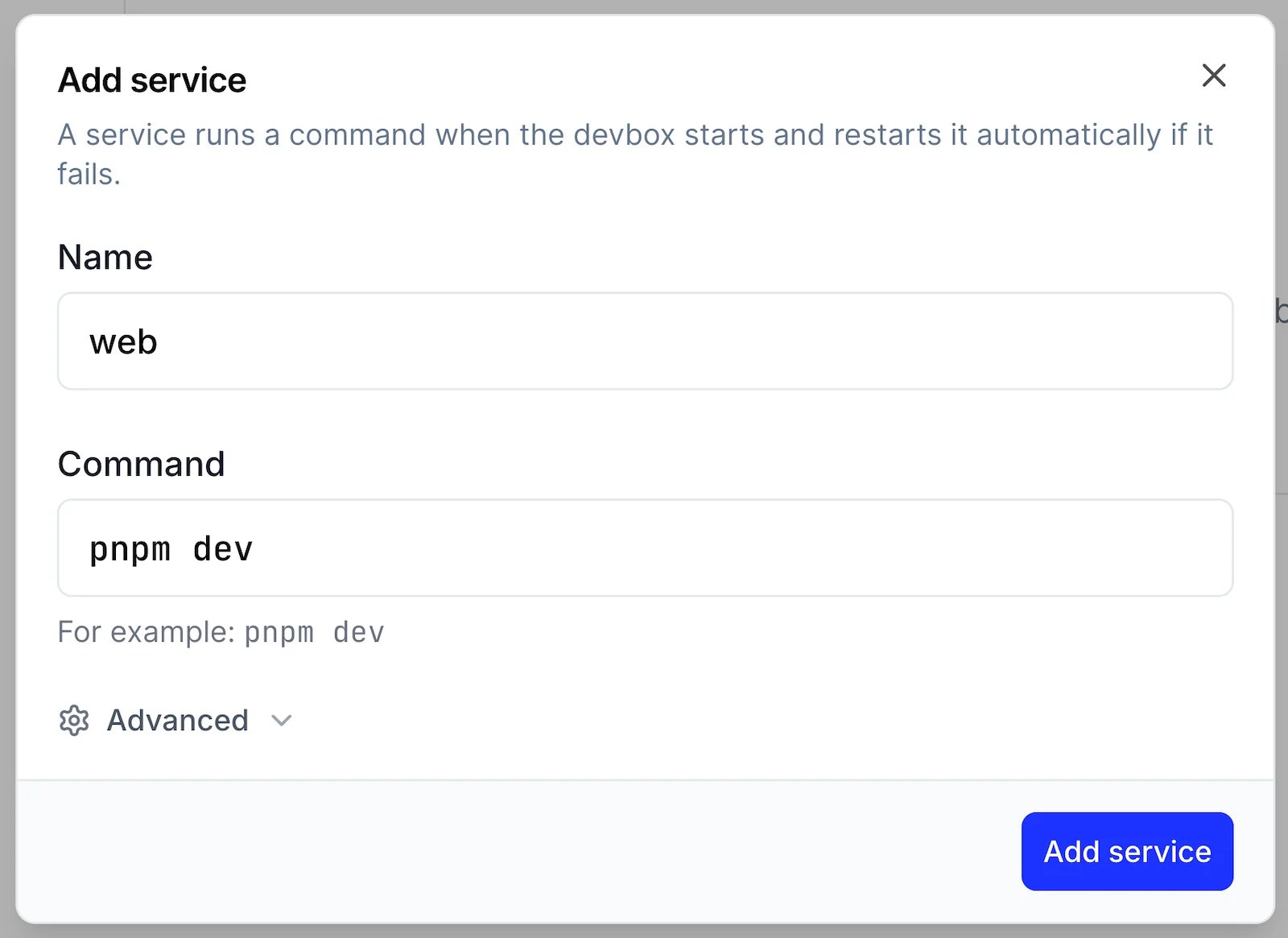
Open the Devbox in the [dashboard](https://cloud.namespace.so/workspace/devboxes), and press **Add service** in the **Services** section. Enter a **Name** and a **Command**, such as `pnpm dev`. Press **Add service** to create and start it.
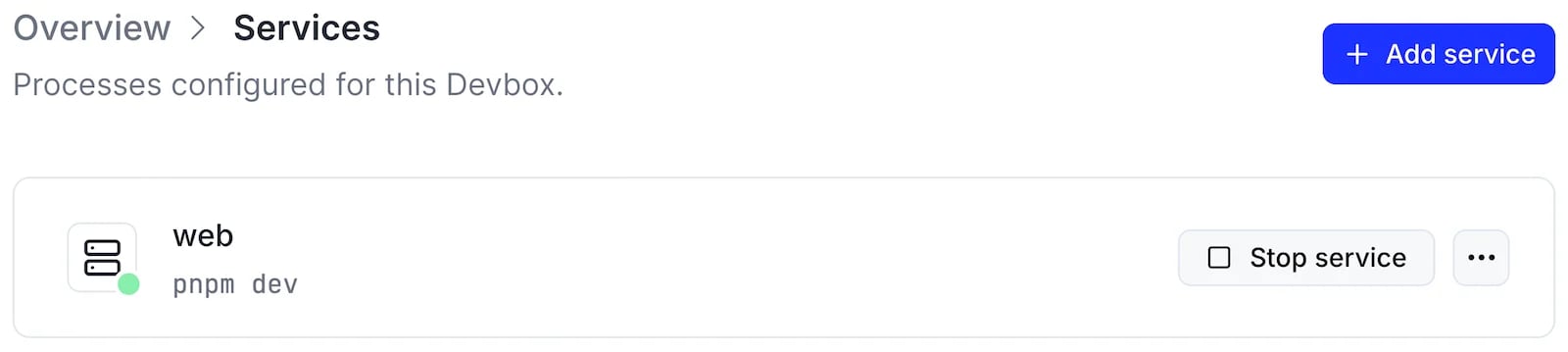
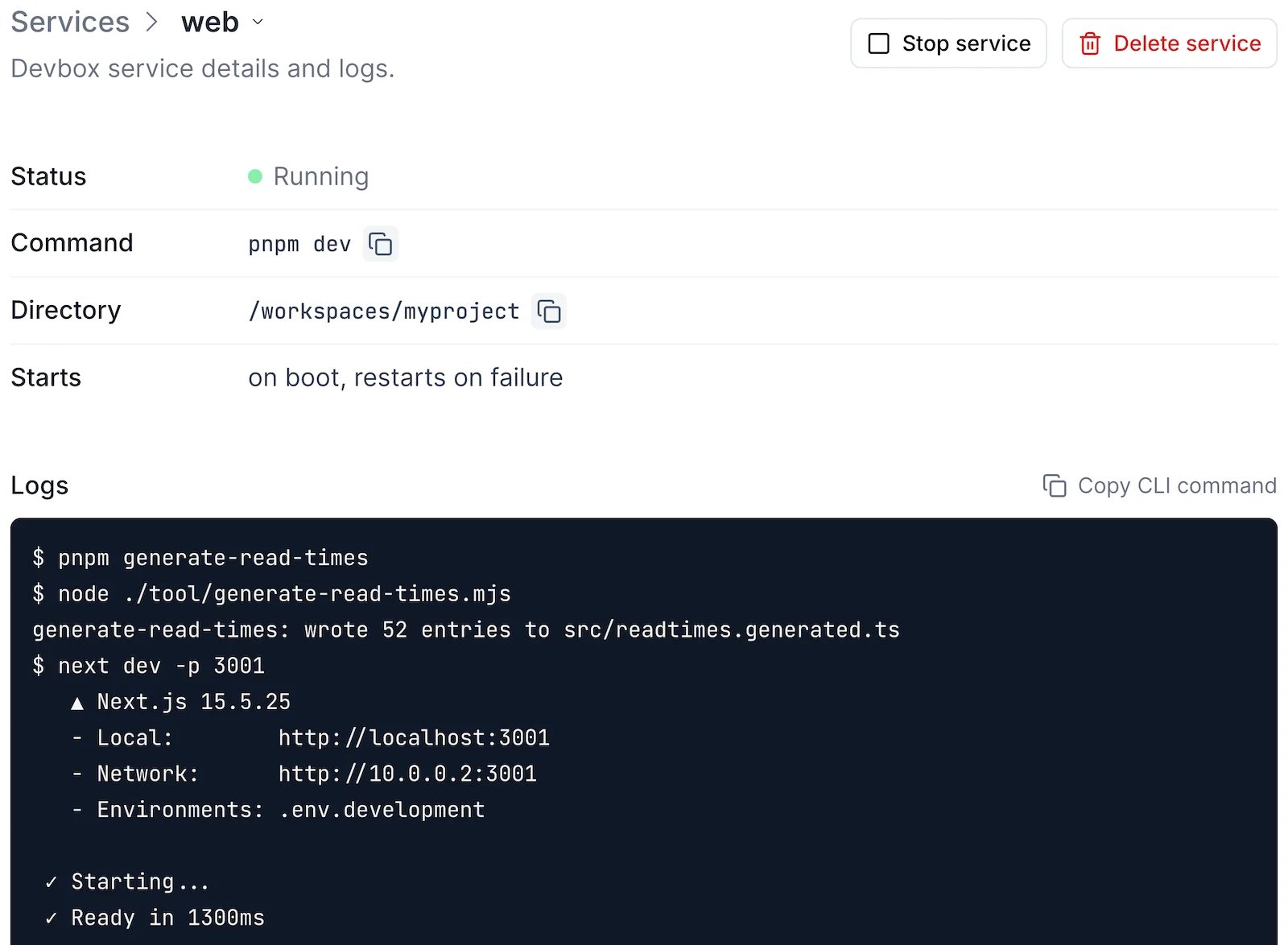
 The **Services** page of a Devbox lists every service with its status. Select a service to see its details and logs.
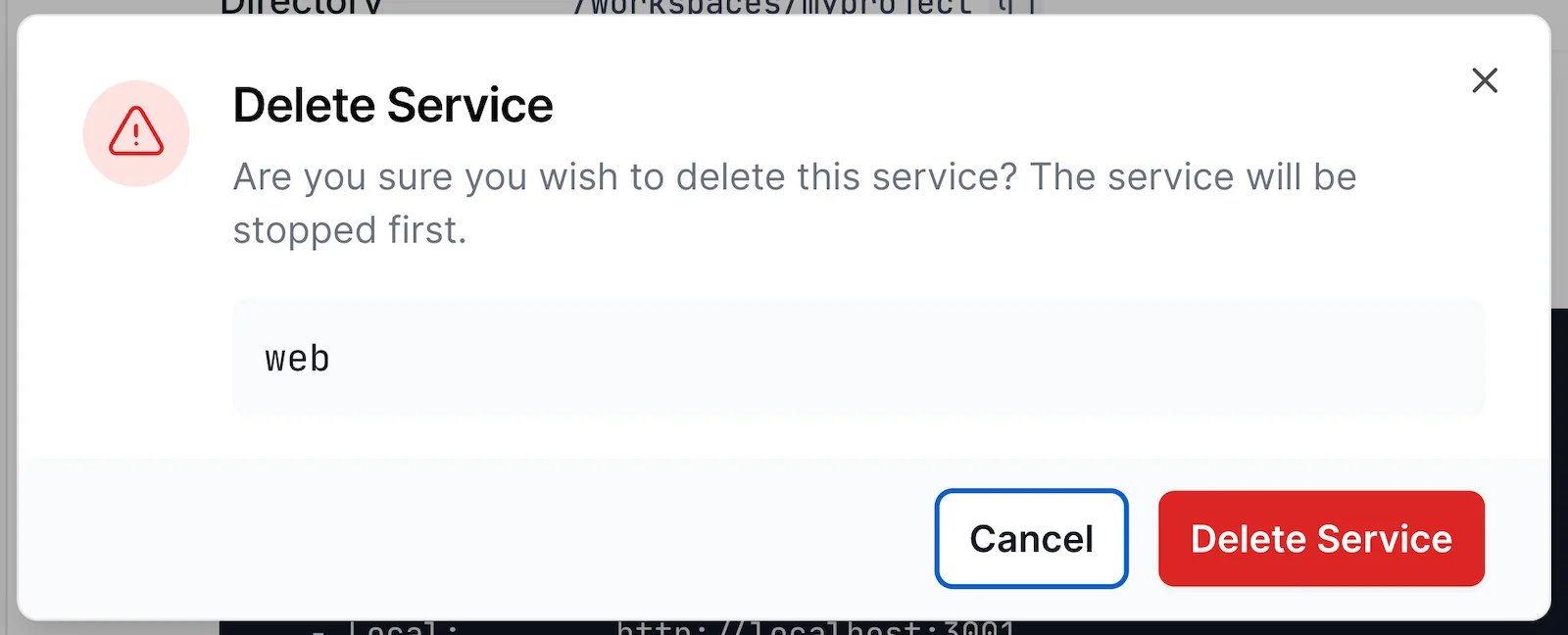
 To delete a service, open the menu next to it on the **Services** page and select **Delete**.
 A service is in one of these states:
| Status | Meaning |
| - | - |
| `starting` | The process is launching. |
| `running` | The process is running. |
| `restarting` | The process exited and is waiting to be restarted. |
| `failed` | The process exited and will not be restarted. |
| `stopping` | The service was stopped and the process is shutting down. |
| `stopped` | The service is stopped and will not start until you start it. |
| `not started` | The service has no process, for example a `manual` service that has not been started. |
A service is in one of these states:
| Status | Meaning |
| - | - |
| `starting` | The process is launching. |
| `running` | The process is running. |
| `restarting` | The process exited and is waiting to be restarted. |
| `failed` | The process exited and will not be restarted. |
| `stopping` | The service was stopped and the process is shutting down. |
| `stopped` | The service is stopped and will not start until you start it. |
| `not started` | The service has no process, for example a `manual` service that has not been started. |
Start and Stop Services
Start and stop a service yourself, or let its policies decide when the Devbox starts it automatically and restarts it after it exits.
Stopping a service is durable. A stopped service stays stopped across Devbox restarts until you start it again. By default, the process receives `SIGTERM` and is killed if it has not exited after 15 seconds.
```bash theme={null}
devbox service stop my-devbox web
```
Add `--force` to kill the process immediately. Start it again with:
```bash theme={null}
devbox service start my-devbox web
```
```typescript theme={null}
await devbox.services.stop("web");
await devbox.services.stop("web", { mode: "force" });
await devbox.services.start("web");
```
`stop()` returns once the stop is requested, so the process may still be `stopping`. `start()` fails while a service is still stopping. If the service is already running, `start()` returns its current process.
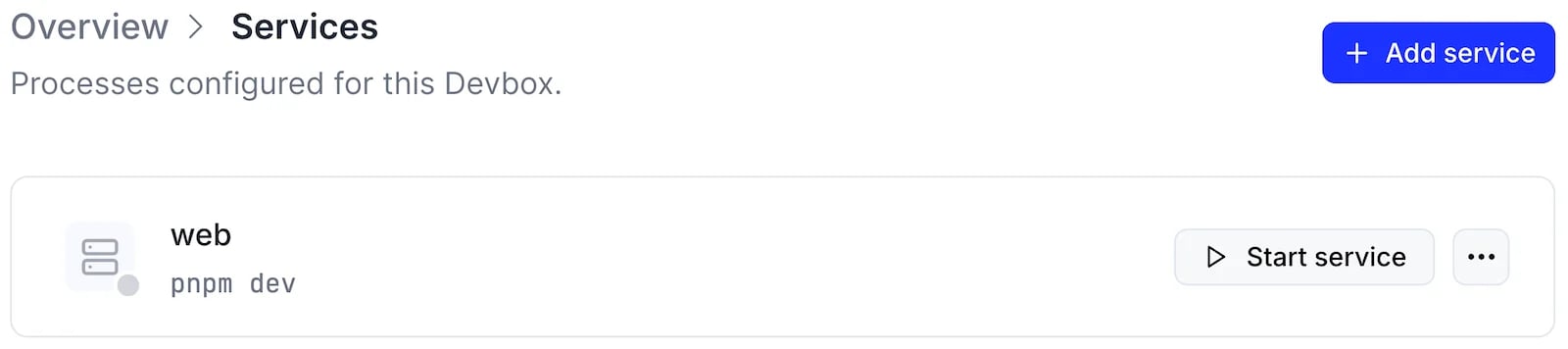
Press **Stop service** or **Start service** next to a service.
Start and Restart Policies
When a Devbox boots, it starts its services after checking out repositories and running the init script. A service that keeps failing is restarted with an increasing delay, up to about a minute between attempts. The delay resets once the service has run for a minute.
Two policies control this behavior:
* **Start policy**: `on-boot` (default) starts the service when it is created and every time the Devbox boots. `manual` starts it only when you start it explicitly.
* **Restart policy**: `on-failure` (default) restarts the service after a non-zero exit. `always` restarts it after any exit. `never` leaves it stopped, and its status becomes `failed` after a non-zero exit.
Services created with the CLI use the defaults: they start on boot and restart on failure.
```typescript theme={null}
await devbox.services.create({
name: "worker",
command: "./scripts/worker.sh",
startPolicy: "manual",
restartPolicy: "always",
start: true,
});
```
`start` overrides the start policy at creation time: `true` starts the service now, and `false` creates it stopped. Omit it to follow `startPolicy`.
Services created in the dashboard use the defaults: they start on boot and restart on failure.
View Service Logs
The Devbox retains the output of each service run. Logs replay what has already been captured, then follow new output until that run exits. After a restart, read the logs again to see the new run.
```bash theme={null}
devbox service logs my-devbox web
```
Add `--no_follow` to print the retained output and return.
Each service run is also an execution, so it appears in [`devbox logs list`](/docs/devbox/exec#listing-executions).
```typescript theme={null}
for await (const chunk of devbox.services.logs("web")) {
process.stdout.write(chunk.stdout);
process.stderr.write(chunk.stderr);
}
```
The loop ends when the run exits. Break out of it, or pass an abort `signal`, to stop reading earlier. See [`services.logs()`](/docs/reference/typescript-sdk/devbox/services#services-logs-api-reference).
Select a service on the **Services** page. Its **Logs** panel streams the latest run.
Expose a Service
Expose a service's HTTP port on a [shareable URL](/docs/devbox/url) to open it in your browser. For a dev server listening on port 3000:
```bash theme={null}
devbox service create my-devbox --name web -- pnpm dev
```
```typescript theme={null}
await devbox.services.create({
name: "web",
command: "pnpm",
args: ["dev"],
});
```
Press **Add service** in the **Services** section of the Devbox, and enter the command that starts your dev server as the **Command**, for example `pnpm dev`.
```bash theme={null}
devbox url expose my-devbox --port 3000 --name web
```
The CLI prints the `devbox.so` URL of the service.
```typescript theme={null}
const port = await devbox.exposedPorts.create({ name: "web", number: 3000 });
console.log(port.url);
```
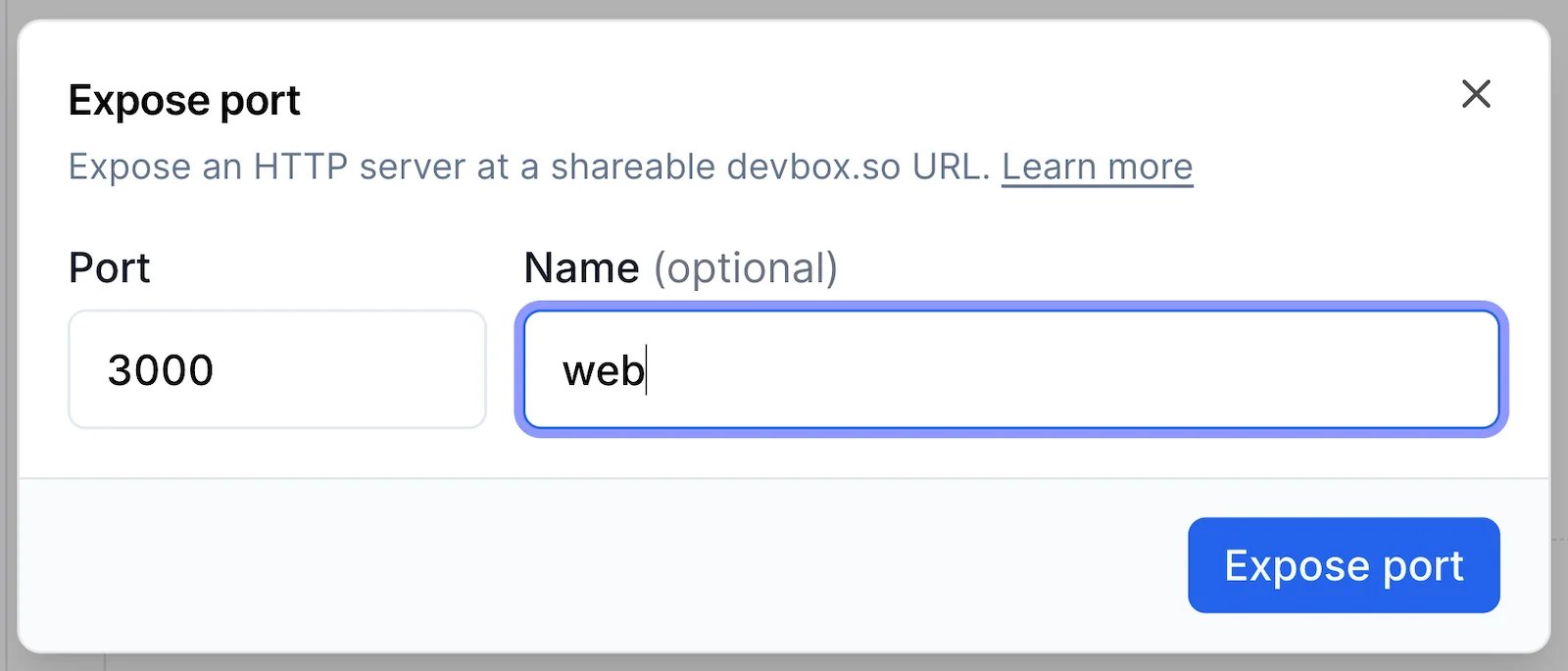
Press **Expose port** in the **Exposed URLs** section of the Devbox, enter the **Port** and an optional **Name**, and press **Expose port**. The URL appears in the **Exposed URLs** section.
 ## Next Steps
Every `devbox service` subcommand and option.
Define services for every Devbox created from a blueprint.
Manage services from TypeScript.
This documentation is built and hosted on [Mintlify](https://mintlify.com), a developer documentation platform.
## Next Steps
Every `devbox service` subcommand and option.
Define services for every Devbox created from a blueprint.
Manage services from TypeScript.
This documentation is built and hosted on [Mintlify](https://mintlify.com), a developer documentation platform.